
What it does
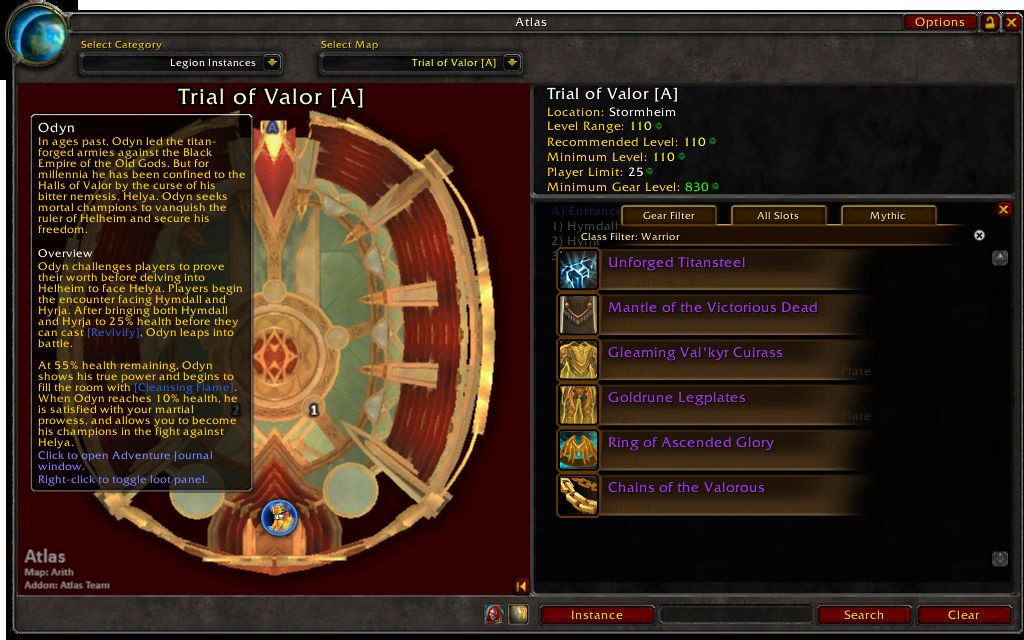
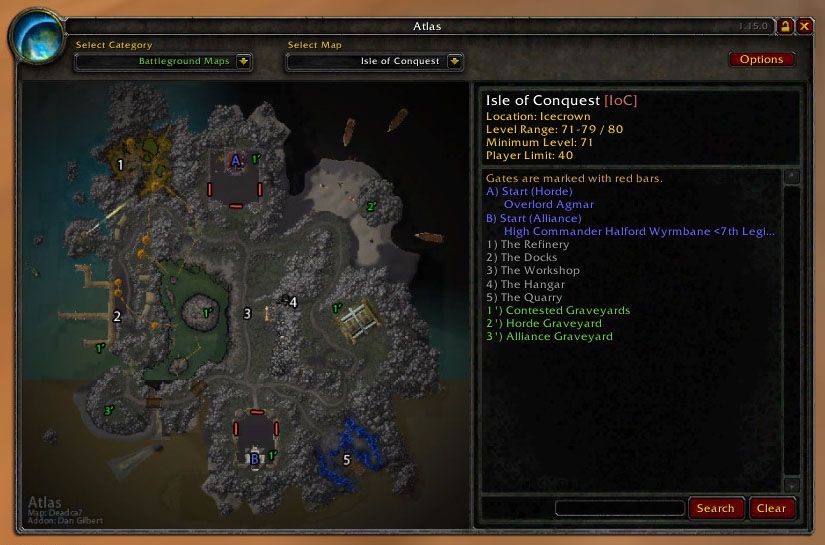
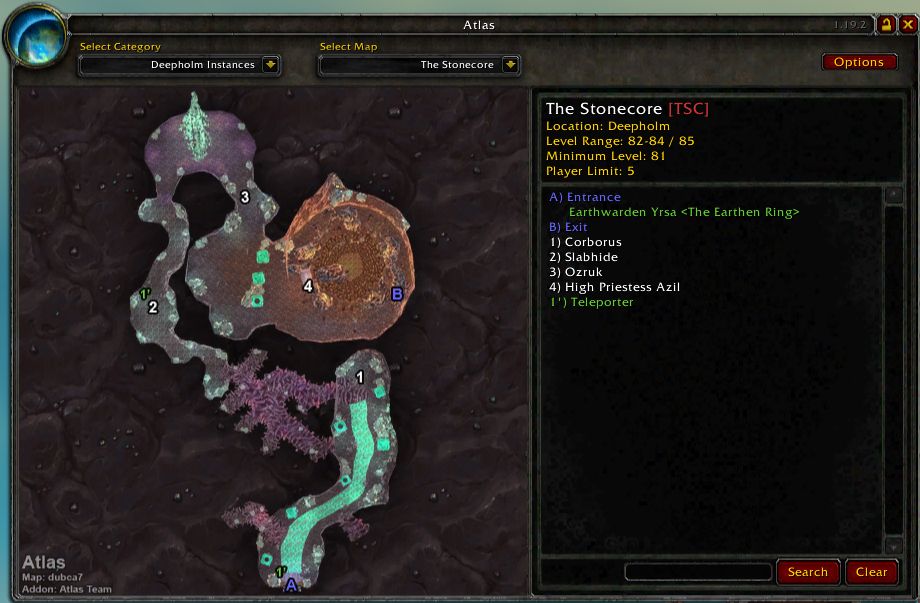
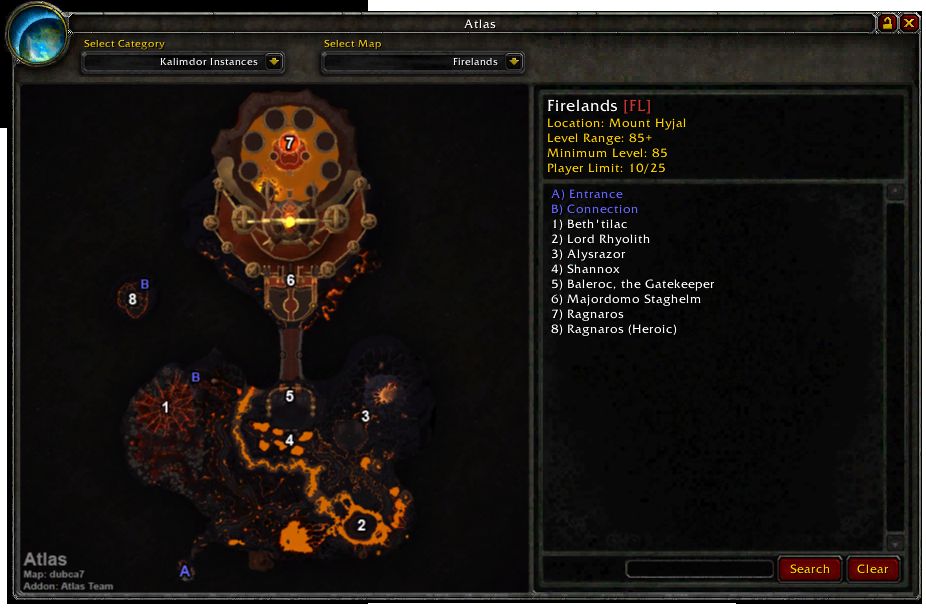
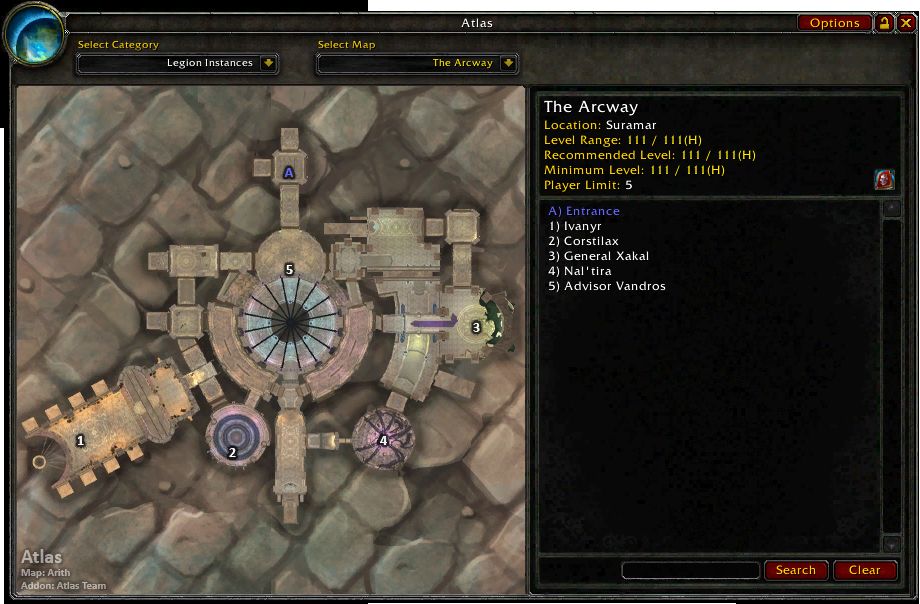
Open Atlas and you get the map of a dungeon or zone, with a legend that explains every numbered marker. If the module supplies it, you also see the instance's location, recommended level, group size, entry requirements and entrances.
You can filter maps by expansion, continent, instance type, level or group size, and search the legend of the selected map. The window can be moved and locked, and it opens from a minimap button.
This zip is only the Atlas core. The maps come as separate modules from Atlas's projects on CurseForge; the core alone shows no maps.
Key features
- Map browsing with numbered markers and a matching legend.
- Instance details (when a module supplies them): location, level range, group size, entry requirements, factions, entrances and exits.
- Filter maps by category (depends on the installed modules).
- Search within the legend of the selected map.
- Move, lock and reset the window; a minimap button.
- Options: auto-select the instance map, right-click for the world map, clamp the window to the screen, reset position.
Requirements
- Besides the Atlas core you need at least one map module or plugin. The modules are downloaded as separate projects from CurseForge.
Installation
- Download the zip and extract it.
- Move the
Atlasfolder inside it intoWorld of Warcraft\_forever_\Interface\AddOns\. - Close the game completely and reopen it (
/reloadalone does not load new files). - On the character select screen, check that the addon is ticked in the AddOns list.
Commands
/atlas- Opens the Atlas window.
/atlasbutton- Toggles the minimap button.
/atlasoptions- Opens the Atlas options.
Notes
- In instances with several maps, auto-select may not pick the right one and you may need to choose manually.
- Legend search covers only the currently selected map, not every installed map.
- Updating the core does not require downloading the map packages again.
FAQ
I installed Atlas but there are no maps.
This package is the Atlas core only. For a map collection you also need to install suitable Atlas map modules from CurseForge.
How do I open the window?
Type /atlas or use the minimap button. Toggle the button with /atlasbutton.
Author and license
Atlas is written by arith, nanderson11. License: GPLv2.