
What it does
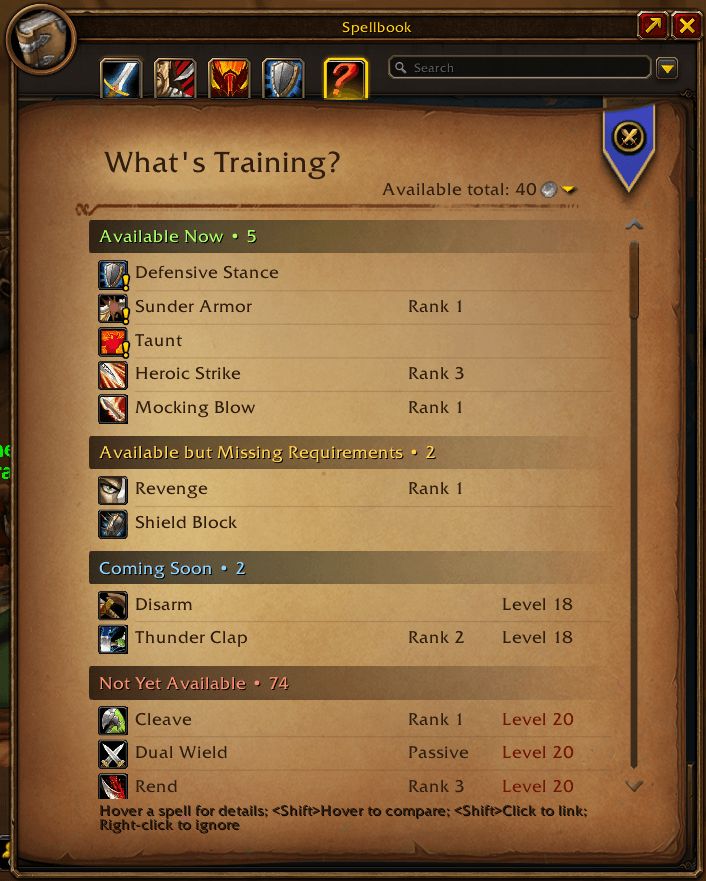
What's Training? adds a new tab to the spellbook: the spells you can learn from trainers are listed there, and the ones you already know sink to the bottom. That tells you when it is time to visit your trainer.
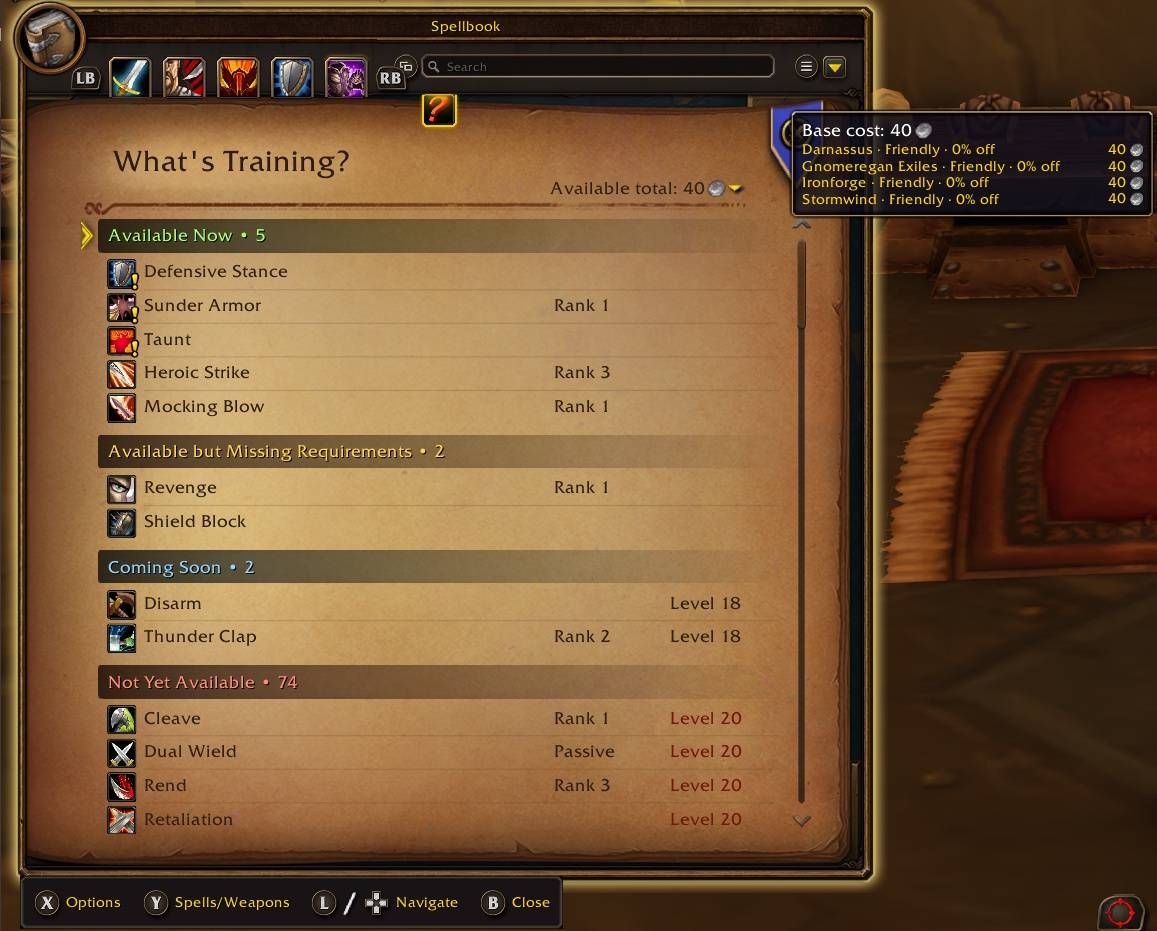
Hover over a spell and its training cost appears at the bottom of the tooltip. Hover over a category header and you see the total cost of every spell in that section, so you know how much gold to bring.
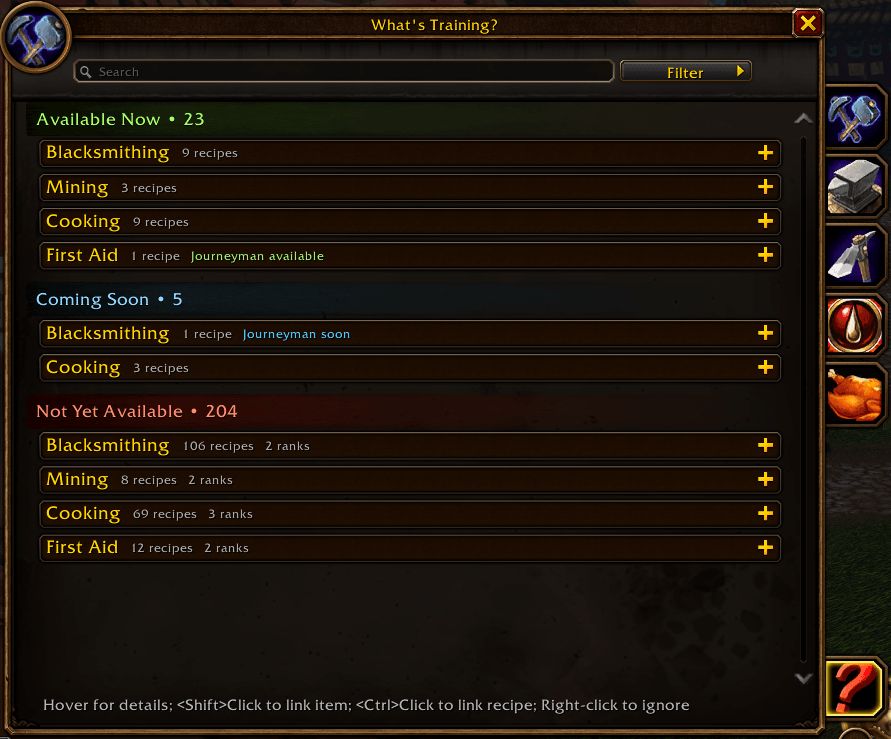
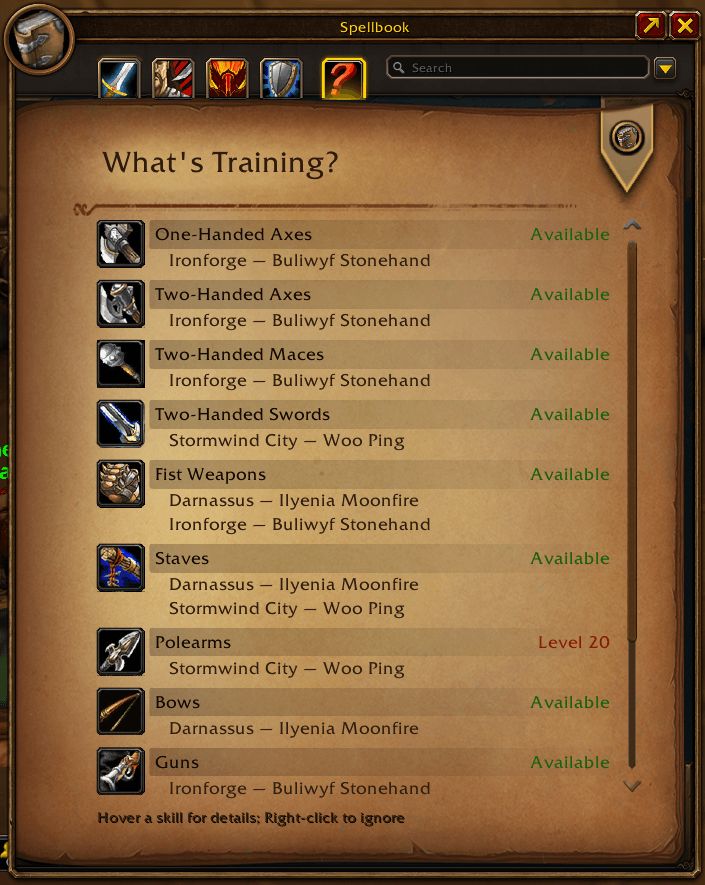
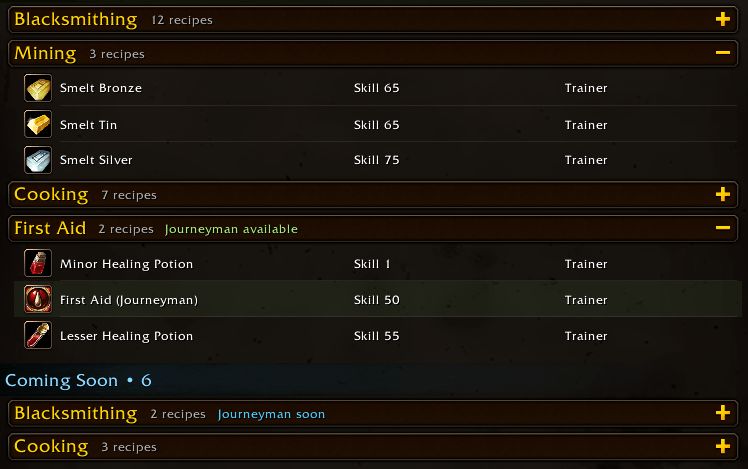
On WoW Forever it also adds a tab to the Professions window listing recipes you can get from trainers, enemies or quests. Weapon skill trainers are viewed with the button next to the search bar.
Key features
- A spellbook list of the spells trainers can teach; the ones you know sit below.
- Training cost in the spell tooltip; the total for a section on its category header.
- On WoW Forever, a recipe tab in the Professions window (trainers, enemies, quests and other sources).
- A button for weapon skill trainers.
- Support for Warlock tome vendors.
- Right-click a spell to hide it from the list; with Class Trainer Plus installed it is hidden in the trainer window too.
- libdatabroker support: it works with addons such as TitanPanel and ChocolateBar.
Installation
- Download the zip and extract it.
- Move the
WhatsTrainingfolder inside it intoWorld of Warcraft\_forever_\Interface\AddOns\. - Close the game completely and reopen it (
/reloadalone does not load new files). - On the character select screen, check that the addon is ticked in the AddOns list.
Commands
/wt- Opens a classic-style window.
FAQ
How do I remove a spell from the list?
Right-click the spell. If Class Trainer Plus is installed too, the spell is hidden in the trainer window as well.
Where do I see the total training cost?
In the spellbook tab, hover over a category header to see the total cost to learn every spell in that section.
Author and license
What's Training? is written by Sveng. License: MIT.