
What it does
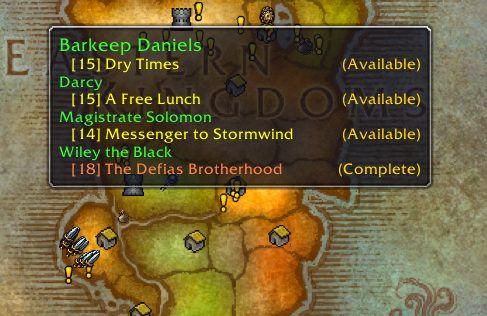
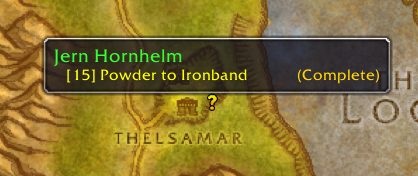
Forever Assist gathers dozens of small conveniences in one place: quest alerts, a quest finder, map pins, a navigation arrow, one-key corpse looting, a party contribution window and a dungeon run log. It has no combat automation. The settings window opens on a simple Easy settings page where every switch reads ON or OFF, descriptions are always visible, and buttons enlarge the text.
In the quest finder you type part of a quest or NPC name. You see the quest's status (done, in progress, available, why you cannot take it yet), where it starts and the whole chain, then press Guide me for a map pin and arrow. The interface is Korean, English and Chinese and follows your game client language.
It records every dungeon run with clear time, boss kills, deaths and loot. You can copy the log with /fa log and paste it on the companion website to join its leaderboards.
Key features
- Quest progress alerts, a sound when a quest is ready to turn in, and optional auto accept and turn-in.
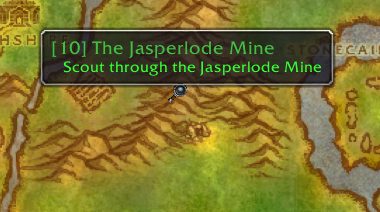
- A quest finder with start locations, quest chains and a map pin.
- One-key corpse looting with the key you choose.
- A party window for damage, healing and damage taken.
- Recommended leveling zones and map pins for quests you can accept.
- A dungeon run log with clear time, boss kills, deaths and loot.
Installation
- Download the zip and extract it.
- Move the
ForeverAssistfolder inside it intoWorld of Warcraft\_forever_\Interface\AddOns\. - Close the game completely and reopen it (
/reloadalone does not load new files). - On the character select screen, check that the addon is ticked in the AddOns list.
Commands
/fa findquest name- Opens the quest finder with the name you give.
/fa meter- Opens the party contribution window.
/fa log- Prepares the dungeon log for copying.
/fa prices export- Exports the guild auction prices.
Notes
- WoW Forever hides the combat log from addons. If the party contribution window relies on it, whether it works on Forever is not clear.
FAQ
Which key does corpse looting use?
On the Easy settings page you press the key button and choose any key: a letter or a mouse side button. The addon warns you if the key is already used.
How does guild price sharing work?
The lowest auction prices you scan are shared with guildmates who use the addon and show up in item tooltips in gold, silver and copper.
Author and license
Forever Assist is written by Devkim. License: GPLv3.
Comments and questions
Loading comments…
Checking your session…