
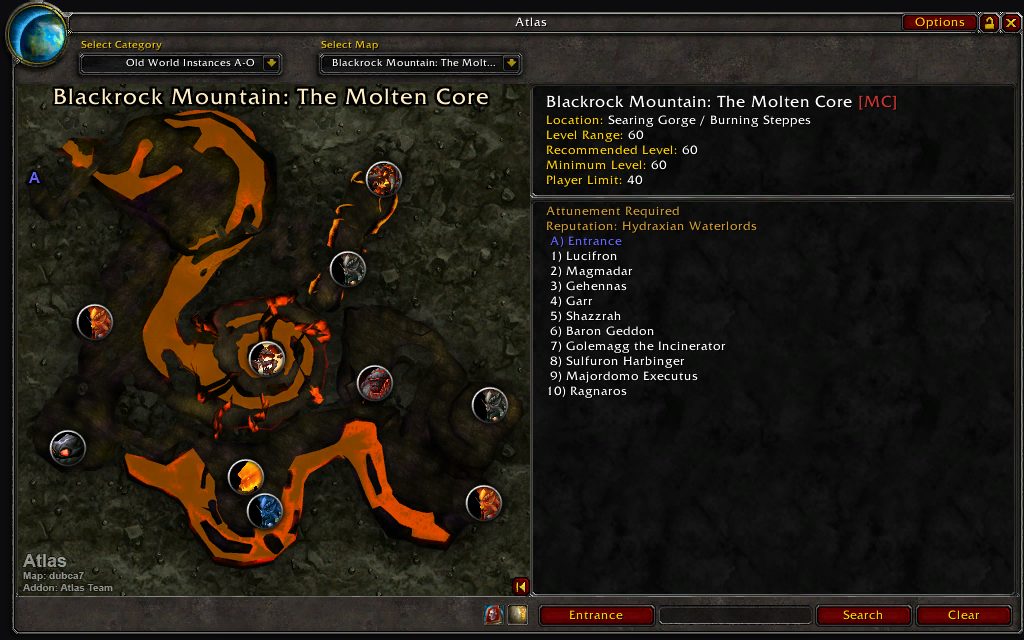
What it does
The module carries map data and nothing else. It has no window, options or features of its own; when you pick a supported dungeon or raid in Atlas, Atlas shows the map.
It holds the instance map images for dungeons and raids on the two continents. It used to be called Atlas Classic WoW and was renamed so it would not be confused with Blizzard's Classic game versions.
If you use Atlas and want maps for instances in Kalimdor and the Eastern Kingdoms, install this module as well.
Key features
- Map images for dungeons in Kalimdor and the Eastern Kingdoms.
- Raid maps are included.
- Selecting an instance in Atlas opens the right map.
- Separate builds packaged for Retail and Classic.
Requirements
- Atlas must be installed; this module does not work on its own.
Installation
- Download the zip and extract it.
- Move the
Atlas_ClassicWoWfolder inside it intoWorld of Warcraft\_forever_\Interface\AddOns\. - Close the game completely and reopen it (
/reloadalone does not load new files). - On the character select screen, check that the addon is ticked in the AddOns list.
Notes
- Pick the file that matches your game version when downloading. Do not install a Retail build on a Classic client, or the other way round.
FAQ
Can I use it without Atlas?
No. The module is map data only and shows nothing unless Atlas is installed.
Does it have an options menu?
No. The maps open inside the Atlas window.
Author and license
Atlas Kalimdor & Eastern Kingdoms is written by arithmandar, Dynaletik, deadca7oldaccount. License: GPLv2.