
What it does
AtlasLootClassic Continued is the continued version of AtlasLootClassic, adapted for WoW Forever. One download covers Classic Era, Anniversary and WoW Forever; the game loads only the files for its own client.
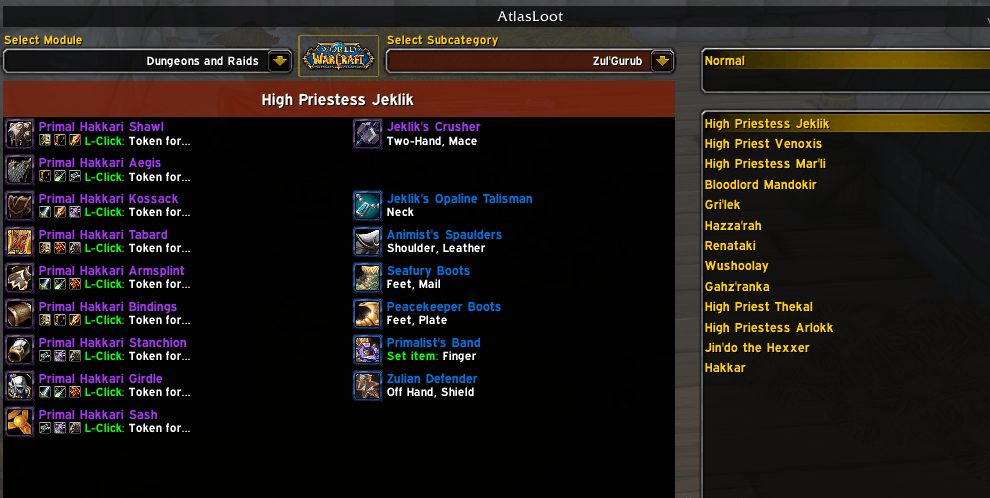
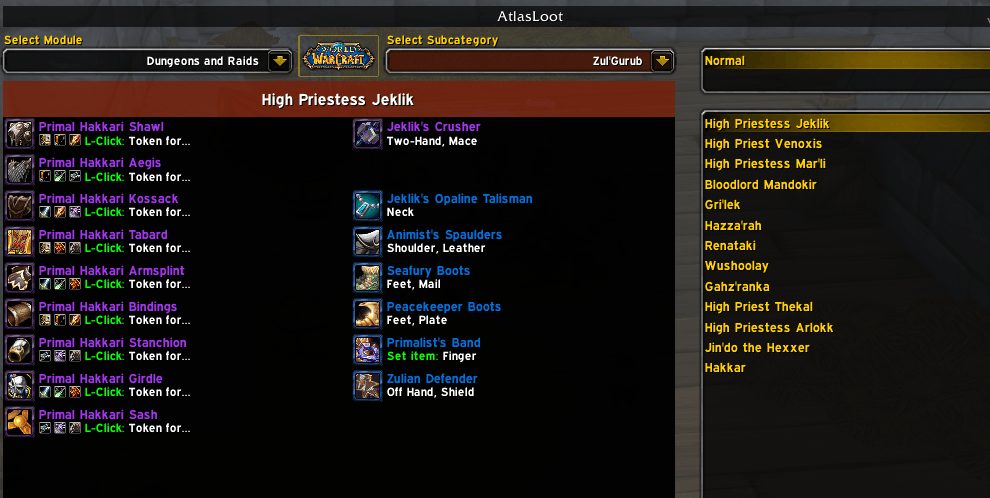
The window shows each boss's loot, profession materials and skill ranks, reputation rewards and PvP rewards. A class filter hides items your class can't use.
Favourites works as a wishlist. Add items straight from the loot window, write notes, and import or export your lists. Item tooltips tell you if an item sits on one of your active lists.
Key features
- Loot tables per boss for dungeons and raids, with item tooltips.
- Crafting: materials, created items and skill ranks.
- Reputation rewards, PvP rewards, item sets and world events.
- Class filter, plus picking the stats each class cares about.
- Favourites with Alt + left click to add, notes, profile lists and import or export.
- A gear planning window that shows if you already own an item.
Installation
- Download the zip and extract it.
- Move all the folders inside it (
AtlasLootContinued,AtlasLootContinued_BiS,AtlasLootContinued_Collections,AtlasLootContinued_Crafting,AtlasLootContinued_Data,AtlasLootContinued_DungeonsAndRaids,AtlasLootContinued_Factions,AtlasLootContinued_Favourites,AtlasLootContinued_Options,AtlasLootContinued_PvP) intoWorld of Warcraft\_forever_\Interface\AddOns\. - Close the game completely and reopen it (
/reloadalone does not load new files). - On the character select screen, check that the addon is ticked in the AddOns list.
Commands
/al- Opens the loot window (
/atlaslootworks too). /al slash- Lists every command.
/al options- Opens the options.
Notes
- WoW Forever support is early. The Vanilla dungeons still in Forever have full loot tables, while Forever's new raids and dungeons are placeholders for now.
- Forever builds on Classic, so TBC and Wrath content is not shown there.
FAQ
What does the minimap button do?
Left click opens AtlasLoot, Shift + left click opens the options, right click opens Favourites and middle click opens it without auto select.
How do I remove an item from Favourites?
Alt + left click it in your list. Alt + right click changes its note.
Author and license
AtlasLootClassic Continued is written by Okrah, OkrahTV. License: GPLv2.