
What it does
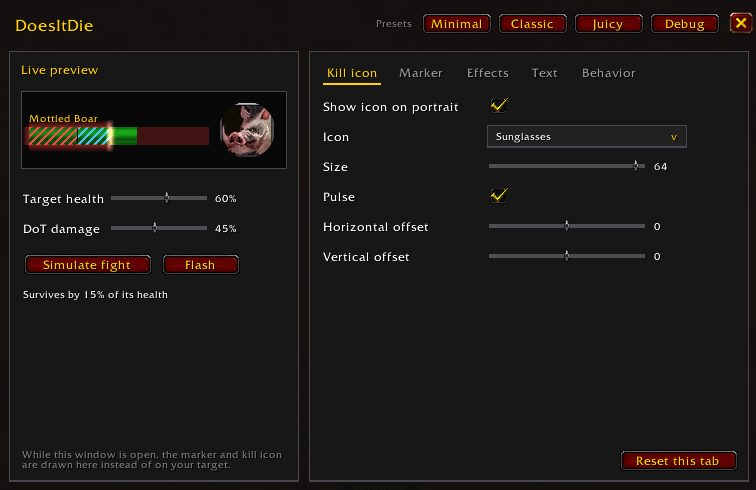
Does It Die was written for WoW Forever. It tracks the DoTs on your current target and highlights a section of the health bar equal to their remaining damage. If the green health ends inside that section, the target is going to die and you can move on.
When your DoTs are enough to kill, a skull appears on the target portrait. You can also turn on a number next to the health bar showing the damage left. That helps when multi-dotting or leveling and you want to know when to stop casting.
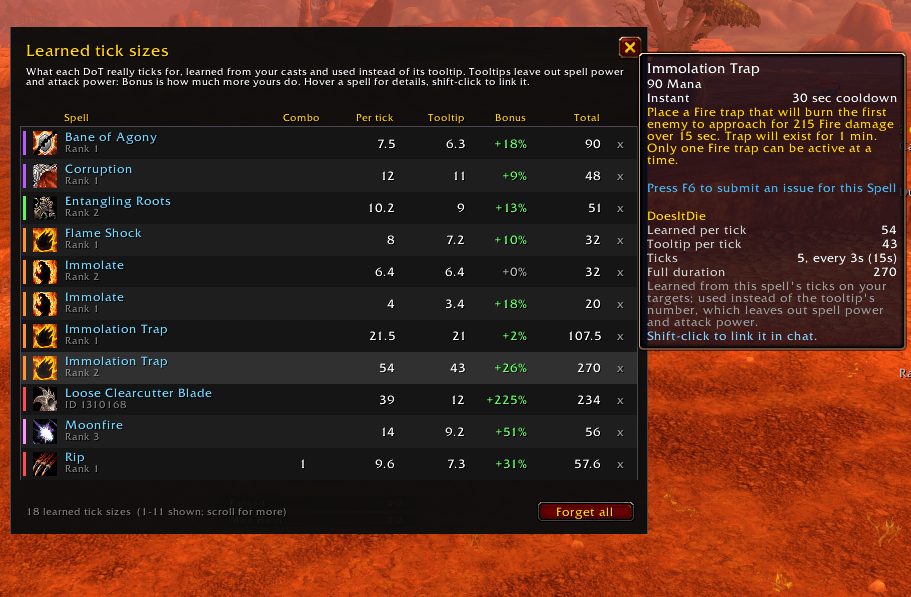
The Forever client hides target health, auras and spell power from addons. So the addon reads a spell's damage from its tooltip, matches incoming ticks to your DoTs and learns your real tick sizes. It keeps what it learns between sessions, so estimates improve as you play.
Key features
- A marker on the health bar covering your DoTs' remaining damage.
- A skull on the portrait when DoTs will kill: raid skull, boss skull or red X.
- Optional remaining damage text.
- Settings for marker fill, outline, animation and color, plus a preview mode out of combat.
- DoTs for Druid, Hunter, Mage, Priest, Rogue, Shaman, Warlock and Warrior; Rip and Rupture count the combo points spent.
- Dodges, misses, parries, resists and immunities are taken off the estimate.
Installation
- Download the zip and extract it.
- Move the
DoesItDiefolder inside it intoWorld of Warcraft\_forever_\Interface\AddOns\. - Close the game completely and reopen it (
/reloadalone does not load new files). - On the character select screen, check that the addon is ticked in the AddOns list.
Commands
/did- Opens the options panel.
/did skull- Shows the skull for 5 seconds so you can check its placement.
/did debug- Echoes the tracking log to chat.
/did reset- Forgets the learned tick sizes.
Notes
- Only your own DoTs are tracked, not those of party members.
- DoTs that proc without a cast (Deep Wounds, Ignite, poisons) are not tracked, and healing on the target is not counted.
- Bane of Agony is slightly underestimated, Lacerate stacks are approximate and bonus combo points from crits are not counted.
FAQ
Why are the first estimates a bit off?
The addon learns your tick sizes as you play and saves them between sessions. It starts from the tooltip value and over time reflects your spell power and talents.
How do I move the skull?
Open the panel with /did and change the skull size and position. Type /did skull to show it for 5 seconds.
Author and license
Does It Die is written by JoeGG. License: MIT.