
What it does
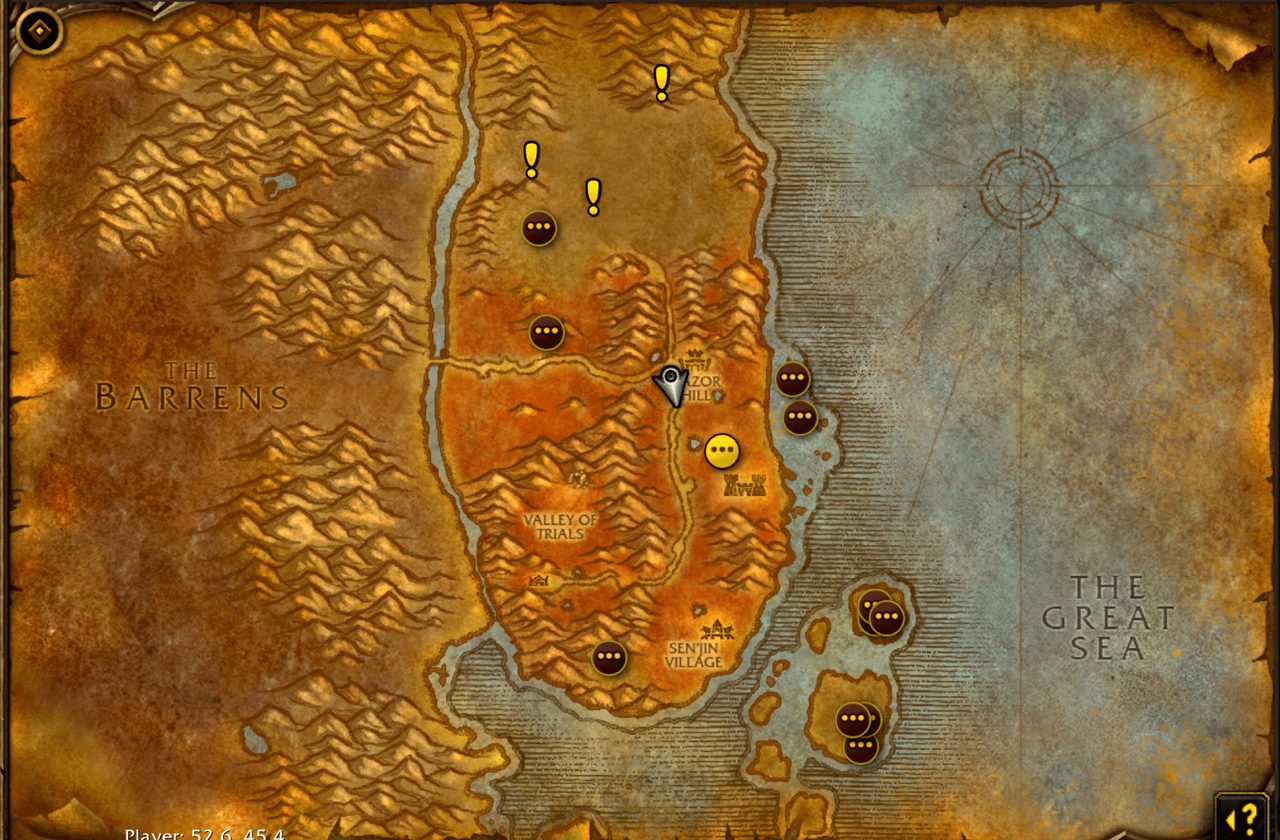
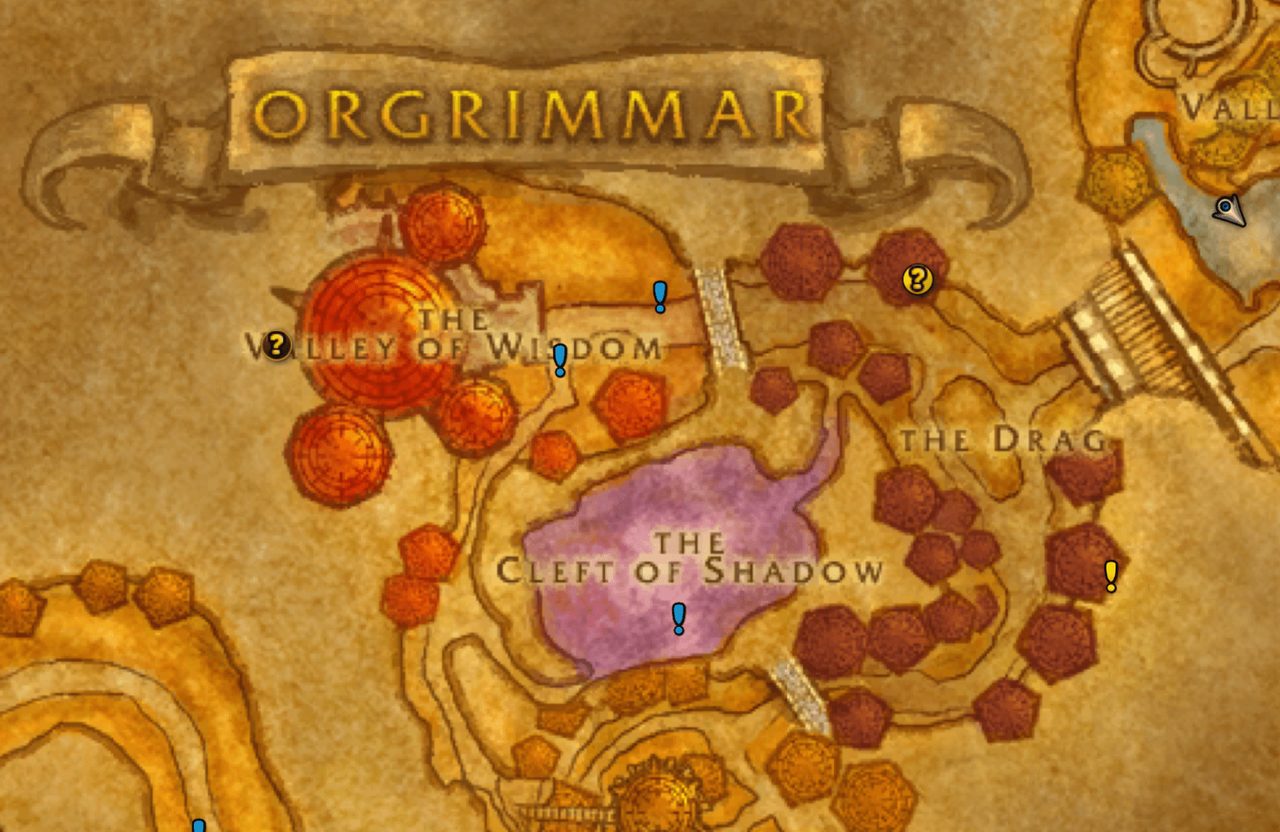
Forever Quest Pins helps you find your next quest. It adds quest start markers to Blizzard's world map: yellow for normal quests, blue for repeatables, and red-orange for dungeon and raid quests, attunement chains included.
Click a marker and a waypoint is set at that spot. Once you accept the quest, the game's own quest tracking handles objectives and turn-in; the addon fills the gap before that and does not replace the tracker.
It is much lighter than Questie and only deals with quest markers. If you want everything else Questie offers, use Questie instead.
Key features
- Separate colored ! markers for normal, repeatable and dungeon or raid quests.
- Tooltips with quest level, quest name and quest giver.
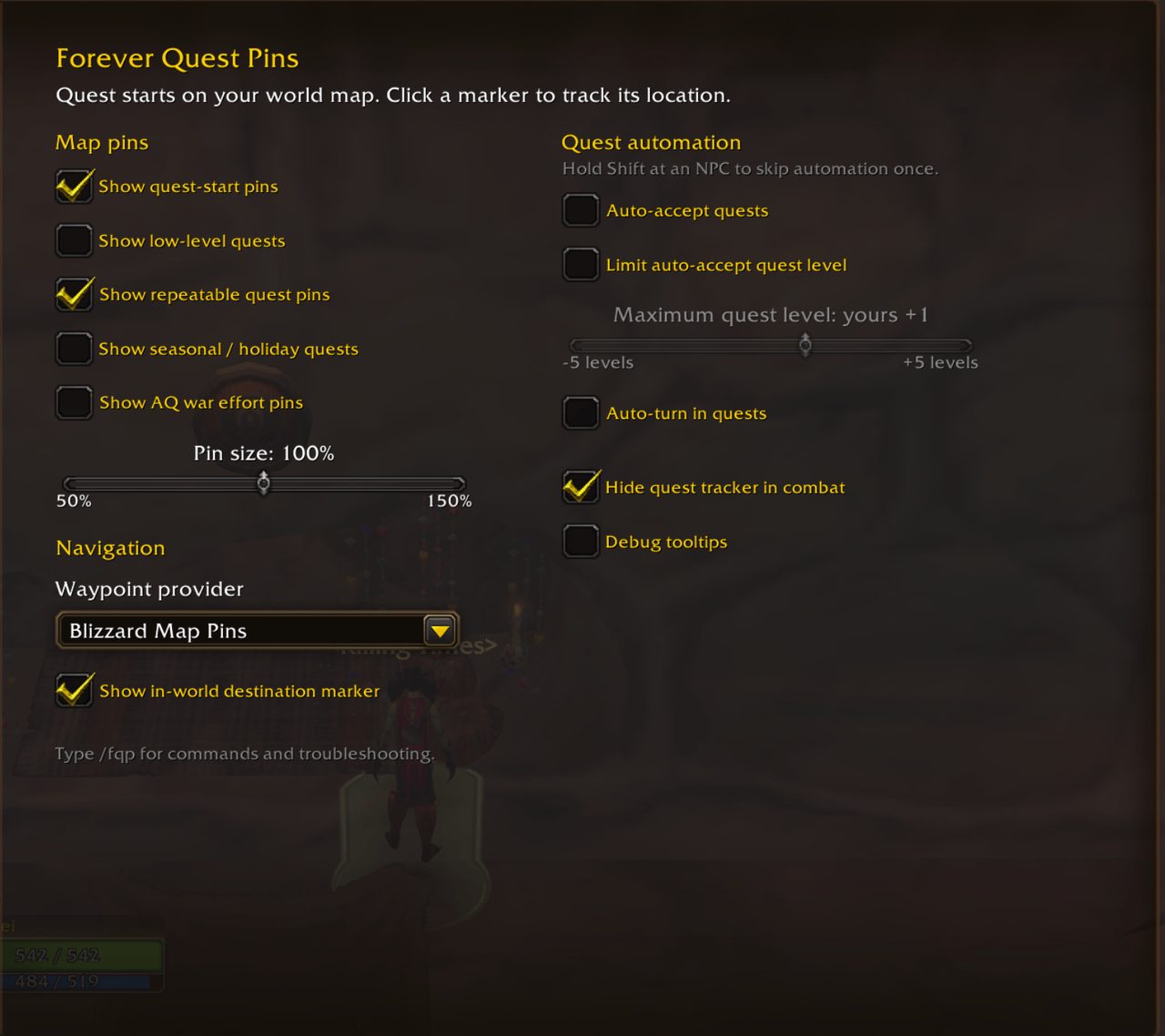
- Overlapping starts are grouped into one marker, and marker size goes from 50% to 150%.
- Waypoints through Blizzard map pins or, optionally, TomTom.
- Options to show low-level, repeatable and seasonal quests and AQ war effort turn-ins.
- Optional auto-accept and auto turn-in, both off by default.
Installation
- Download the zip and extract it.
- Move the
ForeverQuestPinsfolder inside it intoWorld of Warcraft\_forever_\Interface\AddOns\. - Close the game completely and reopen it (
/reloadalone does not load new files). - On the character select screen, check that the addon is ticked in the AddOns list.
Commands
/fqp- Shows help and the list of commands.
/fqp on- Shows quest start markers.
/fqp off- Hides quest start markers.
/fqp track <id>- Tracks a quest start, objective or turn-in.
/fqp clear- Clears the addon's waypoint or tracked quest.
/fqp refresh- Refreshes markers on the current map.
/fqp why <id>- Explains why a quest is shown or hidden.
/fqp debug- Toggles quest IDs and diagnostic details in tooltips.
Notes
- It is in beta. Quest data changes quickly, and missing or wrong records can affect which starts appear and where.
- Quests started from an item that have no map coordinates may not show up.
- The game allows one user waypoint at a time, so clicking a marker replaces your current waypoint.
FAQ
Why use this instead of Questie?
If all you want is quest markers that look close to the native UI, this is enough. For the extra features, use Questie.
How do I skip auto-accept once?
Hold Shift while talking to the NPC. Quests with several reward choices are always left for you to turn in by hand.
Author and license
Forever Quest Pins is written by murgy. License: GPLv3.
Comments and questions
Loading comments…
Checking your session…