
What it does
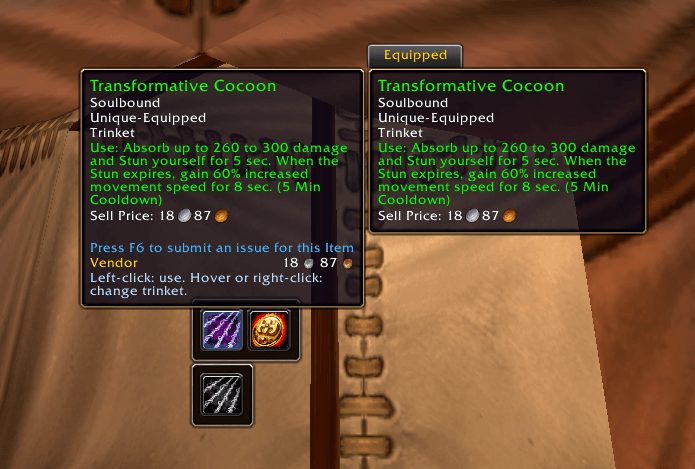
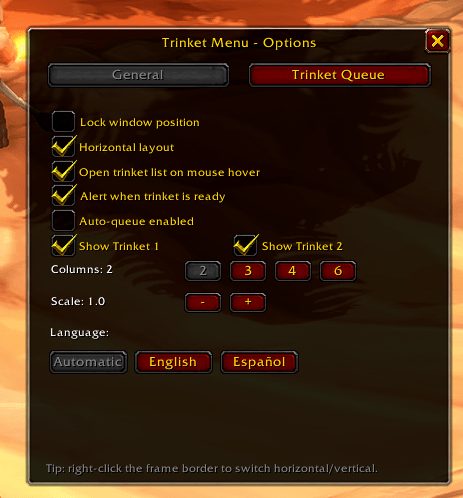
Forever Trinket Menu puts a small bar on screen with your two trinket slots. Click a trinket to use it, or hover over a slot to see the trinkets in your bags and swap one in without opening the character or bag windows.
It is inspired by the classic TrinketMenu but written from scratch as an independent addon. Its notes also mention a combat queue and auto rotation for swaps.
Key features
- Use either equipped trinket with one click.
- Hover over a slot to list and swap trinkets from your bags.
- No need to open the character or bag windows.
- A combat queue and auto rotation for trinket swaps.
Installation
- Download the zip and extract it.
- Move the
ForeverTrinketMenufolder inside it intoWorld of Warcraft\_forever_\Interface\AddOns\. - Close the game completely and reopen it (
/reloadalone does not load new files). - On the character select screen, check that the addon is ticked in the AddOns list.
Author and license
Forever Trinket Menu is written by sk0lu. License: MIT.