
What it does
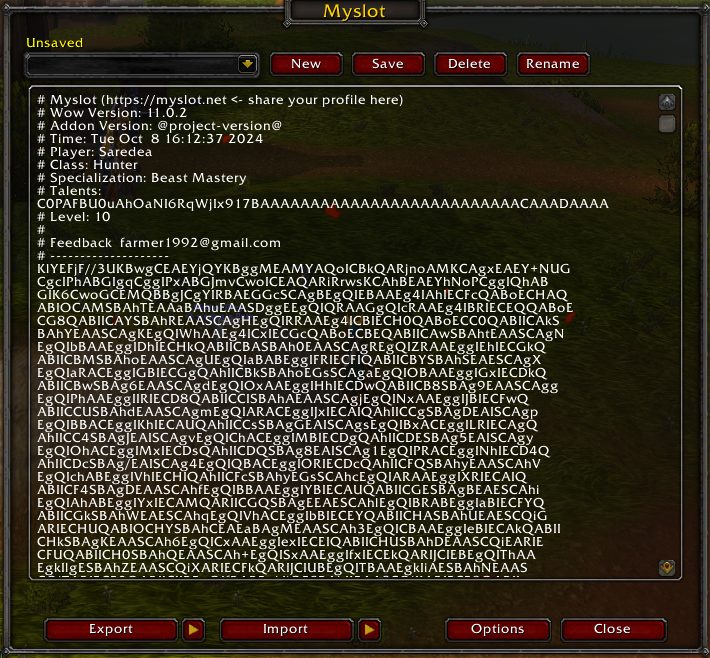
Myslot is meant for new alts, account moves and rebuilding after a UI reset. It exports your current setup as copy and paste friendly text. Paste that text on another character, click Import, and your bars, macros and bindings are back.
The text works across classes. Spells, items, mounts and pets the character does not have are skipped, and Myslot tells you which ones. You also choose what to bring over: which bars, which macros, which bindings.
Before every import your current setup is backed up automatically, so you can roll back. Imports are blocked in combat. The addon description lists WoW Forever among the supported versions.
Key features
- Every action bar, account and character macros, and key bindings in one string.
- Import across classes and accounts; missing spells and items are skipped.
- Up to 100 saved profiles in game, sortable by name, date and class.
- Automatic backup before each import.
- Pick exactly what to import or clear.
- Imports run with a progress bar, are blocked in combat and the text is CRC checked.
Installation
- Download the zip and extract it.
- Move the
Myslotfolder inside it intoWorld of Warcraft\_forever_\Interface\AddOns\. - Close the game completely and reopen it (
/reloadalone does not load new files). - On the character select screen, check that the addon is ticked in the AddOns list.
Commands
/myslot- Toggles the Myslot window.
/myslot load ProfileName- Imports a saved profile by name; put it in a macro to swap setups with one click.
/myslot clear action- Clears every action bar slot.
/myslot clear macro- Deletes all macros.
/myslot clear binding- Clears all key bindings, Blizzard defaults included.
/myslot trim- Keeps only the newest N saved profiles (100 by default) and reloads the UI; add the number after the command.
Notes
- The
clearcommands cannot be undone, so export your setup before trying them.
FAQ
What if an import goes wrong?
Myslot saves your current setup before each import. Load that backup to get your old layout back.
Can I use a setup from a character of another class?
Yes. Spells, items and mounts that character lacks are skipped and the rest is placed.
Author and license
Myslot is written by oishii1992. License: Apache-2.0.