
What it does
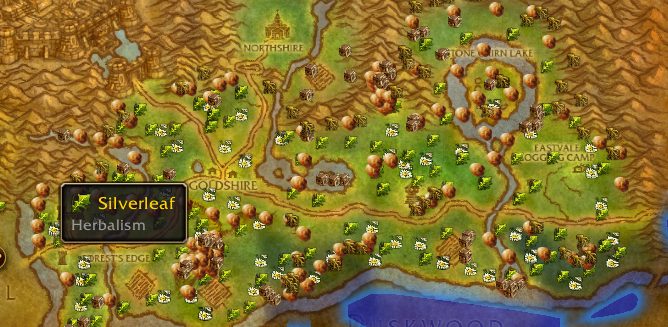
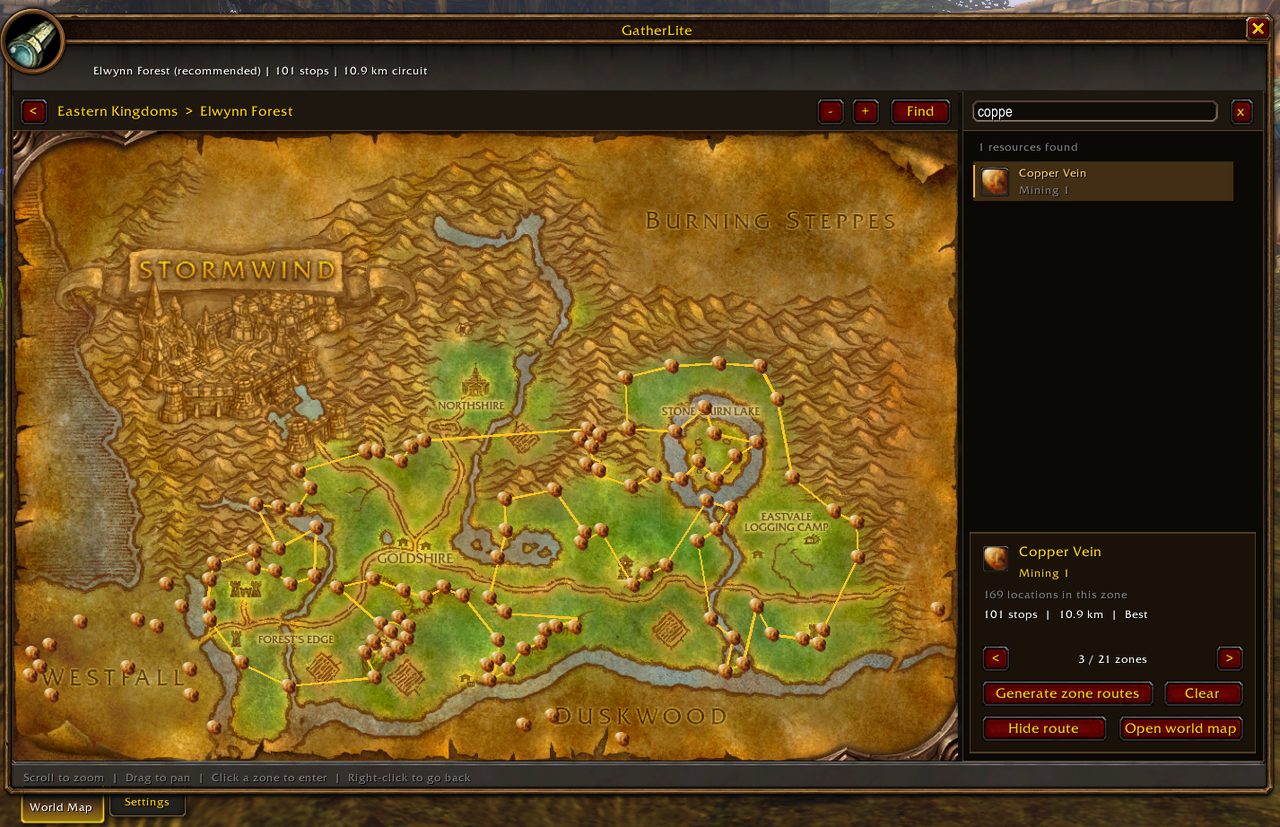
GatherLite ships with a database of gathering locations and also keeps a history of what you gather. Search for a resource in its window to see its known locations and the profession skill it needs; the same spots appear on the world map and minimap.
Generating zone routes works out a circuit for each eligible zone and opens the recommended one first. Route lines show on the minimap as well. Fish searches show reported catch areas instead of circuits.
Left-clicking the GatherLite button on the game maps opens that map's category filters, and right-clicking opens the GatherLite window. Hover a marker for its details and gathering history.
Key features
- Built-in locations for herbs, ore, containers, fishing pools and fish.
- Resource search with known locations and the profession skill required.
- Generated gathering routes per zone, on the world map and minimap.
- Catch area search for fish and fishing ingredients.
- Marker details and gathering history, plus category filters on the maps.
Installation
- Download the zip and extract it.
- Move the
GatherLitefolder inside it intoWorld of Warcraft\_forever_\Interface\AddOns\. - Close the game completely and reopen it (
/reloadalone does not load new files). - On the character select screen, check that the addon is ticked in the AddOns list.
Commands
/gather- Opens the GatherLite window.
/gatherlite- Opens the GatherLite window.
/gatherroutes- Opens the GatherLite window.
Notes
- A known location does not guarantee a spawn or a catch right now.
- Routes use straight-line distances and ignore terrain, skill, other gatherers and travel to the zone.
FAQ
How do I hide the route lines?
In the GatherLite window, Hide / Show route toggles the lines and Clear removes them.
Is my selected route saved?
Yes. The route or fish you pick is saved per character.
Author and license
GatherLite is written by Wuild. License: MIT.