
What it does
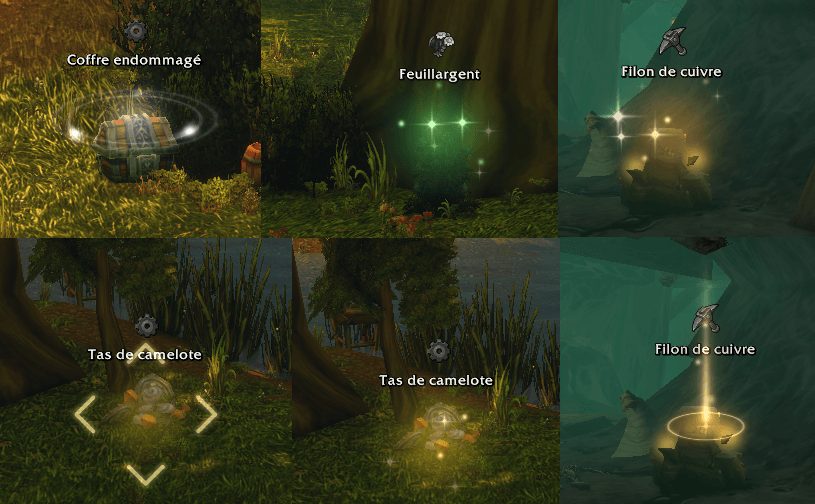
Lueur was made for WoW Forever 1.60.1. It relies on the game's soft targeting, so it lights one object at a time: the one your Interact key would act on.
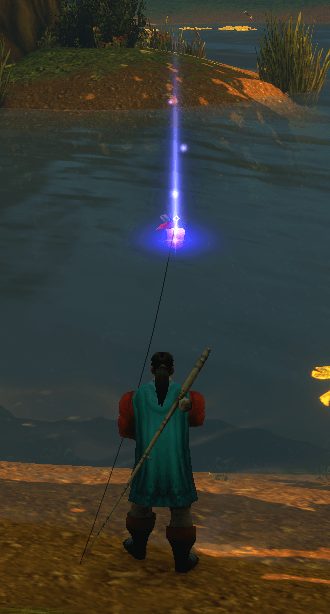
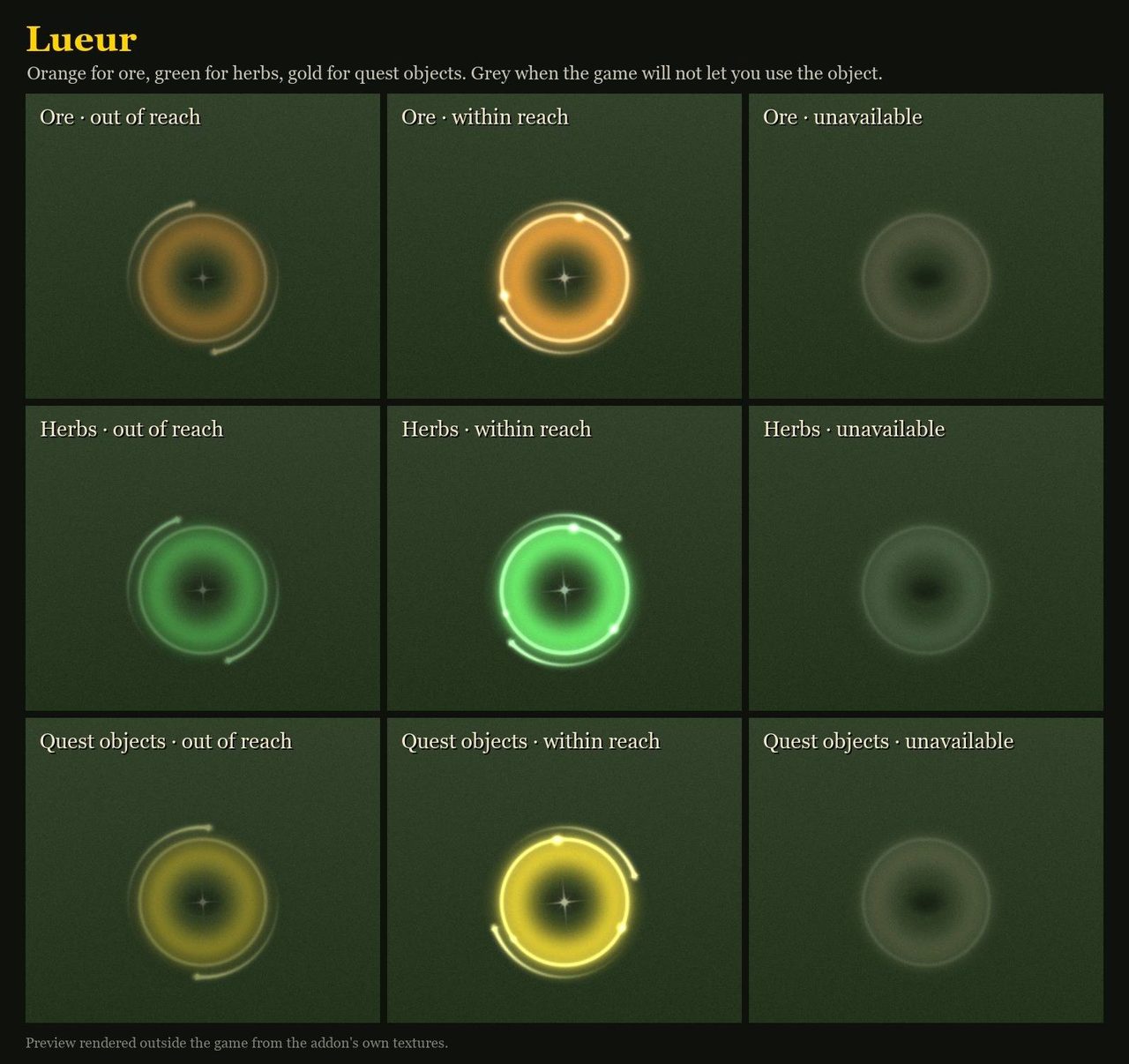
Colors depend on the object: orange for ore, green for herbs, gold for quest objects, blue for chests and red for your bobber. The light is dim while the object is out of reach, flashes when you can use it and turns grey when the game refuses the interaction.
Gatherers and questers get the most out of it. Optional minimap icons show herbs and veins as their own markers.
Key features
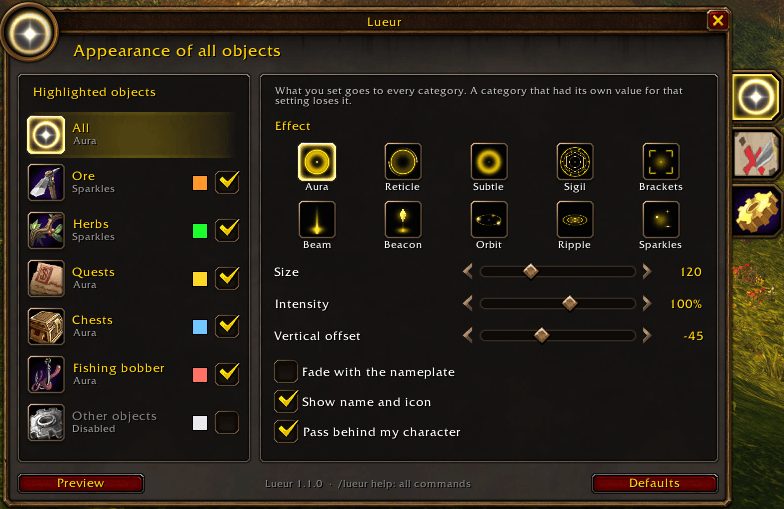
- Separate colors for ore, herbs, quest objects, chests and the fishing bobber; each one can be changed.
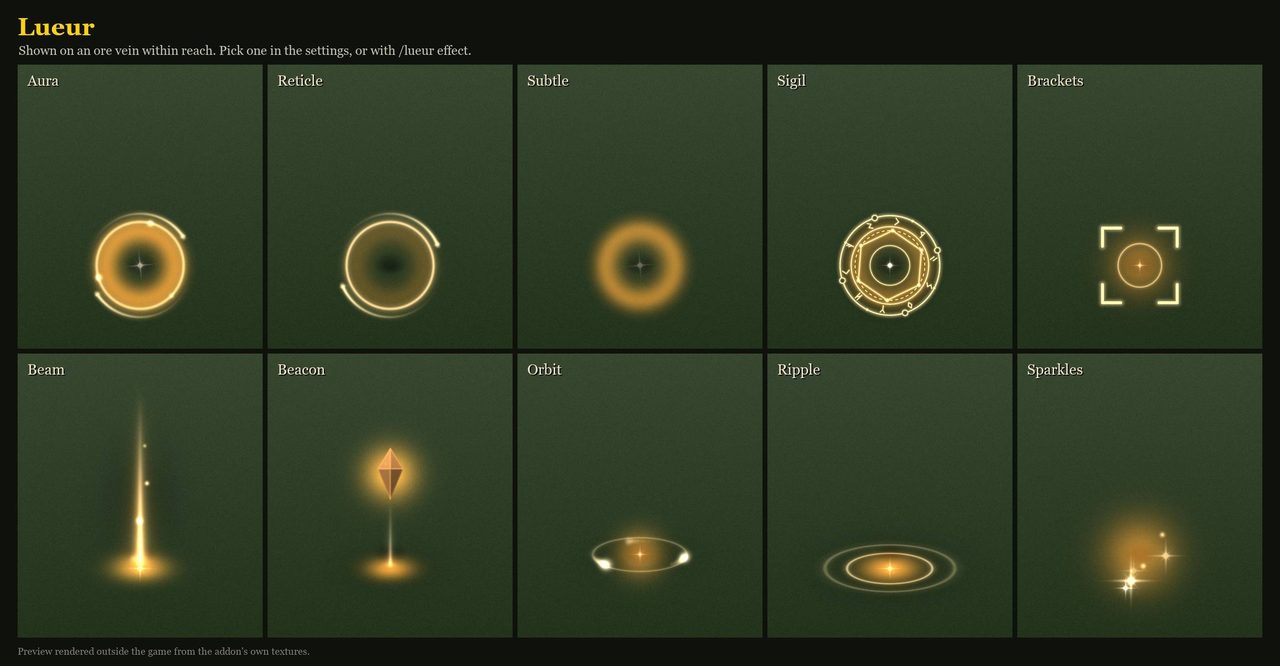
- Ten light effects, and each object type can use its own.
- Adjustable size, brightness, height, direction and range from 5 to 15 yards.
- Hide the effect in combat, in instances or on objects you cannot use, and ignore objects by name.
- A preview window that shows the effect on a 3D object.
- Bind the Interact key from the settings window.
Installation
- Download the zip and extract it.
- Move the
Lueurfolder inside it intoWorld of Warcraft\_forever_\Interface\AddOns\. - Close the game completely and reopen it (
/reloadalone does not load new files). - On the character select screen, check that the addon is ticked in the AddOns list.
Commands
/lueur- Opens the settings.
/lueur help- Lists the commands.
Notes
- Lueur changes some of the game's soft targeting settings (SoftTargetInteract and related ones) and puts them back when you disable it or log out.
- Range is capped at 15 yards because of an API limit.
FAQ
Why does only one object glow at a time?
Lueur is built on soft targeting and highlights only the object your Interact key would use.
Does it change my game settings for good?
No. The targeting settings it changes are restored when you turn it off or log out.
Author and license
Lueur is written by Armytille. License: MIT.