
What it does
With enough addons installed, the minimap ends up ringed with buttons. HidingBar grabs them from the minimap and puts them on its own panel, which hides until you need it.
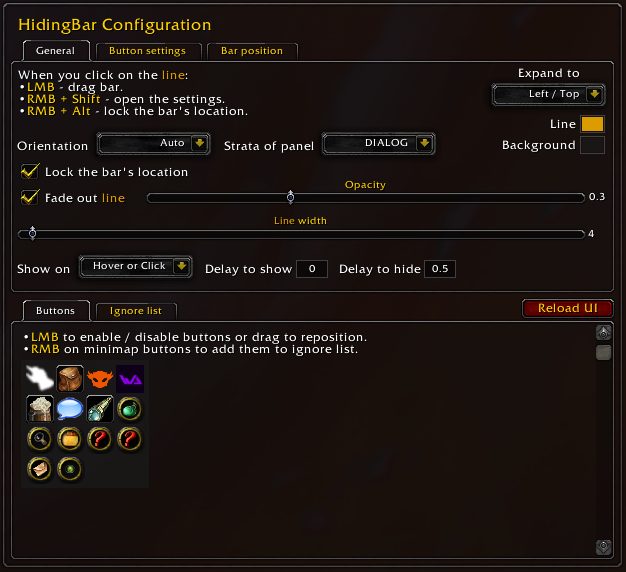
Each button on the panel can be turned on or off and moved around. The panel itself can also work as a single minimap button.
It is based on Norganna's Slidebar with extra features. It is compatible with ElvUI and Tukui and supports Masque skins.
Key features
- Support for DataBroker buttons.
- Grabs addon buttons from the minimap.
- Turn buttons on or off and change their order.
- Compatible with ElvUI and Tukui.
- Masque skin support.
- A display mode that works as one minimap button.
Installation
- Download the zip and extract it.
- Move all the folders inside it (
HidingBar,HidingBar_Options) intoWorld of Warcraft\_forever_\Interface\AddOns\. - Close the game completely and reopen it (
/reloadalone does not load new files). - On the character select screen, check that the addon is ticked in the AddOns list.
Commands
/hidingbar- Opens the configuration.
FAQ
Do my minimap buttons disappear?
They move from the minimap onto the HidingBar panel. Open the panel to reach them, and pick which ones show in the settings.
Author and license
HidingBar is written by sfmict, BNS333Translator, neolynx_zeroTranslator. License: GPLv3.