
What it does
RangeDisplay estimates the distance to your target from spell range, item range and interact distance checks, and shows it as a range on screen. The number is an approximation. Interact distance checks are only used when spell or item checks are not possible.
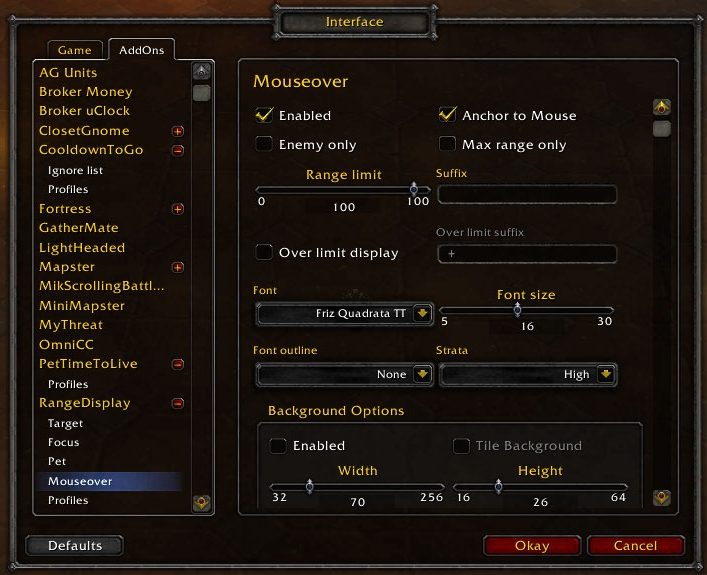
Besides the target you can add separate displays for your focus, your pet and whatever is under the mouse. The mouseover display can follow the cursor or stay in a fixed place.
Range sections can have their own color and sound, and the sound plays as you enter the section. A sound for the target's close range section is on by default, which helps ranged classes keep their distance and melee see when they can hit.
Key features
- Separate distance displays for target, focus, pet and mouseover.
- Approximate range from spell, item and interact distance checks.
- Colors per range section and a sound when entering a section.
- Option to show only the maximum range.
- Border and background options; frames can be unlocked and moved.
Installation
- Download the zip and extract it.
- Move all the folders inside it (
RangeDisplay,RangeDisplay_Options) intoWorld of Warcraft\_forever_\Interface\AddOns\. - Close the game completely and reopen it (
/reloadalone does not load new files). - On the character select screen, check that the addon is ticked in the AddOns list.
Commands
/rangedisplay- Opens the configuration.
/rangedisplay locked- Locks or unlocks the frames.
FAQ
How do I show only the maximum range?
Set Text to %d for the section or sections and tick the Reverse option.
How do I move the display?
Unlock it with /rangedisplay locked, drag the frame, then lock it again with the same command.
Author and license
RangeDisplay is written by mitchnull. License: Public domain.