
What it does
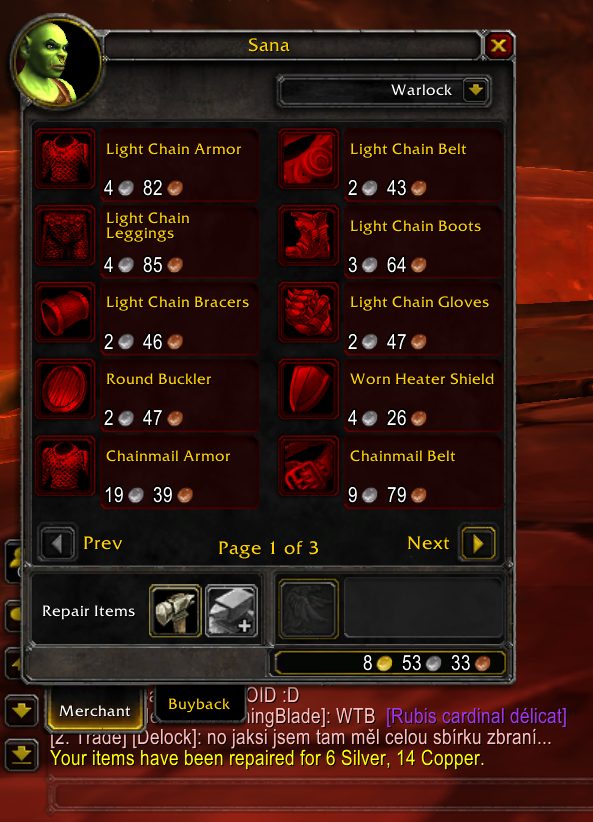
AutoRepair does one thing. When you visit a vendor with repair service, it repairs your items for you, so you never have to remember the repair button.
Commands decide where the money comes from: only your own gold, the guild bank first, your own gold first, or only the guild bank. Automatic repairs can also be switched off entirely.
Key features
- Repairs every item automatically when a merchant window opens.
- Choose between paying from your own gold or the guild bank.
- Mixed modes that fall back to the other source when the first is not enough.
- Turn automatic repairs off with one command.
Installation
- Download the zip and extract it.
- Move the
AutoRepairfolder inside it intoWorld of Warcraft\_forever_\Interface\AddOns\. - Close the game completely and reopen it (
/reloadalone does not load new files). - On the character select screen, check that the addon is ticked in the AddOns list.
Commands
/ar ownonly- Repairs using only your own gold.
/ar guild- Tries the guild bank first, then your own gold.
/ar own- Tries your own gold first, then the guild bank if you are short.
/ar guildonly- Uses only the guild bank.
/ar off- Disables automatic repairs.
Notes
- When you are in a raid group, use
/autorepairin place of/ar.
FAQ
Why does the command not work in a raid?
In a raid group the commands have to be typed with /autorepair instead of /ar, for example /autorepair ownonly.
Author and license
AutoRepair is written by markyxl. License: Public domain.