
What it does
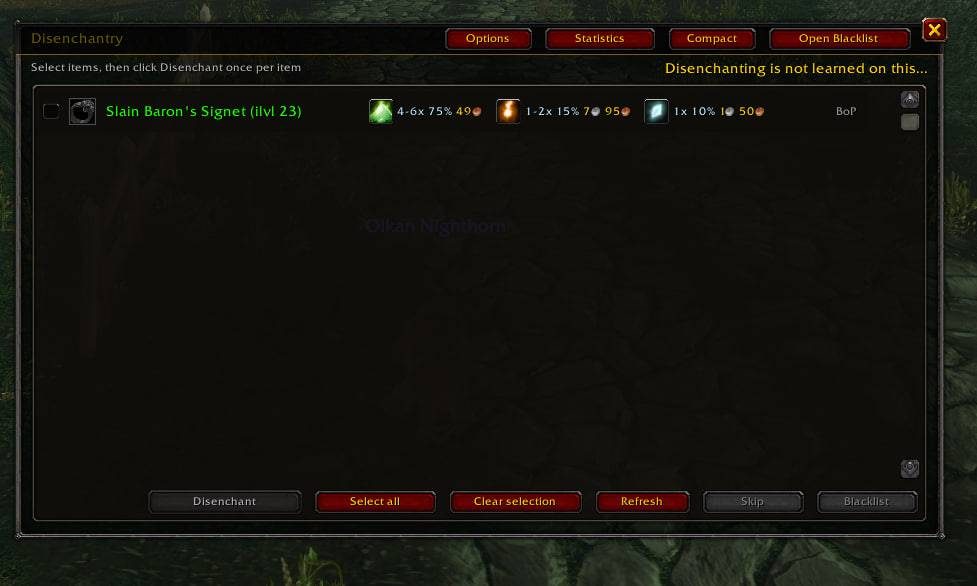
Disenchantry lists the items in your bags that can be disenchanted. You choose what to break, then disenchant the next item with a button or a hotkey of your own. Each click or key press disenchants one item; the addon never does it on its own.
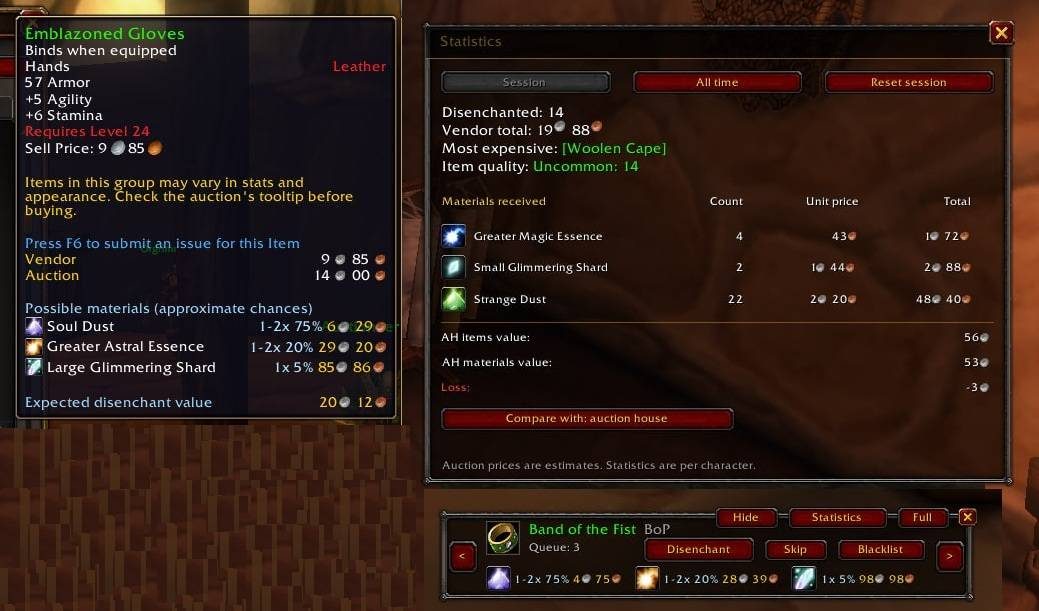
For supported Classic-era items you see which materials can drop, how many and the estimated chance, both in the addon and in item tooltips. With Auctionator installed, auction prices appear next to the materials.
A statistics window keeps session and lifetime totals per character: item quality, vendor value, the most expensive item and the materials you got.
Key features
- Browse and select eligible items from your bags.
- A small movable bar with the next item, queue count and material preview.
- Material previews with Auctionator prices; hover a material icon for its tooltip.
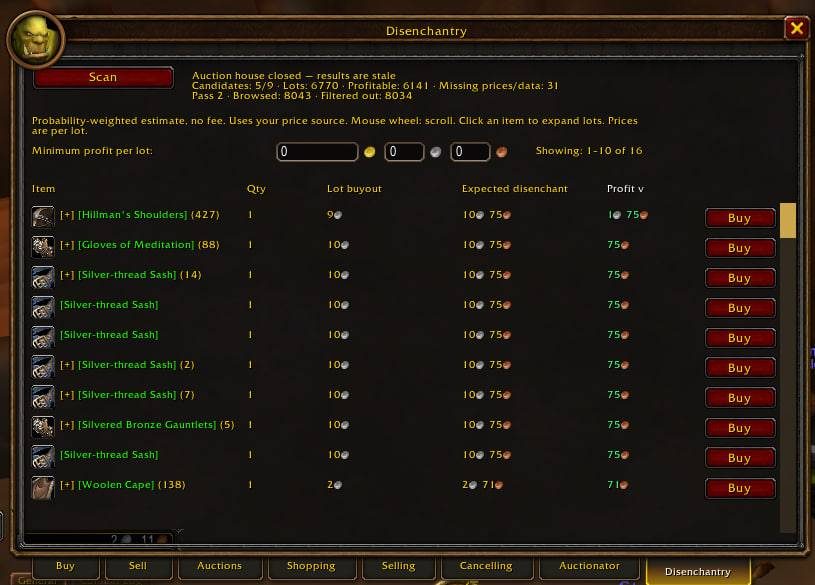
- Profit estimates comparing material value with the disenchanted item's auction or vendor value.
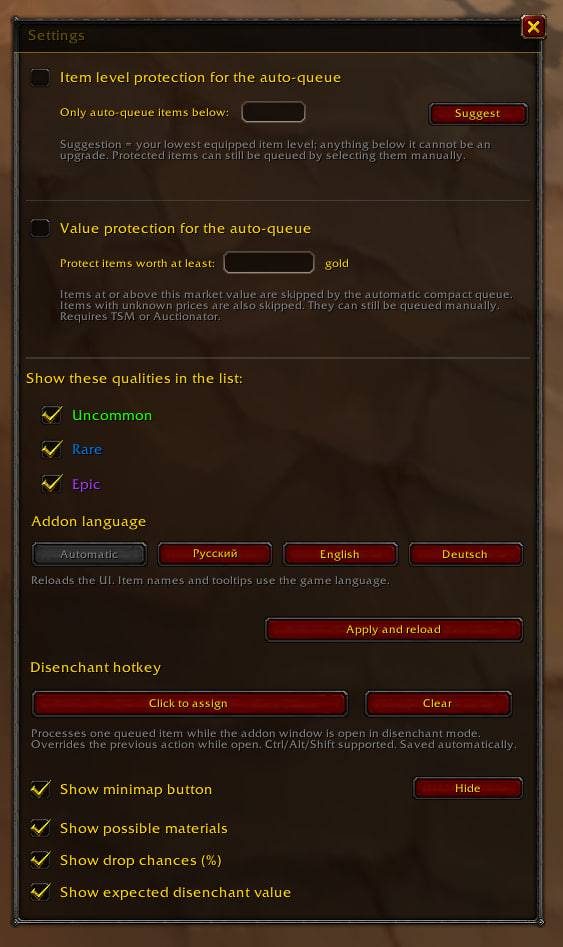
- Protection keeps high-level or valuable items out of the automatic queue; a blacklist too.
- A custom disenchant hotkey while the window is open; closing it restores the key's usual action.
Requirements
- Auctionator is required for material prices and auction-based statistics.
Installation
- Download the zip and extract it.
- Move the
Disenchantryfolder inside it intoWorld of Warcraft\_forever_\Interface\AddOns\. - Close the game completely and reopen it (
/reloadalone does not load new files). - On the character select screen, check that the addon is ticked in the AddOns list.
Commands
/ed- Toggles the addon window (
/disenchantryworks too). /ed compact- Switches between the full window and the compact bar.
/ed settings- Opens the settings.
/ed blacklist- Opens the blacklist.
/ed refresh- Refreshes the item list.
/ed reset- Resets the minimap button;
/ed showand/ed hideshow or hide it. /ed check- Runs a diagnostic check.
/ed help- Lists the available commands.
Notes
- Auction values and profit figures are estimates, not gold from completed sales.
- Price protection works when TSM or Auctionator is installed.
FAQ
Does it disenchant items automatically?
No. Each click or key press disenchants a single item.
How do I avoid breaking valuable items by mistake?
Item protection keeps higher-level or expensive items out of the automatic queue, and you can add anything you want to keep to the blacklist.
Author and license
Disenchantry is written by x_Raven_x. License: MIT.