
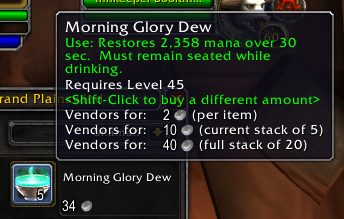
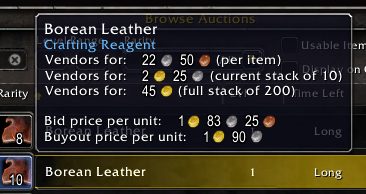
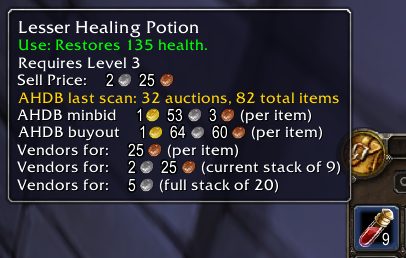
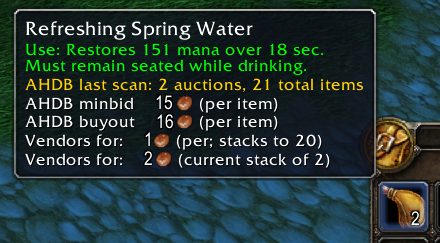
What it does
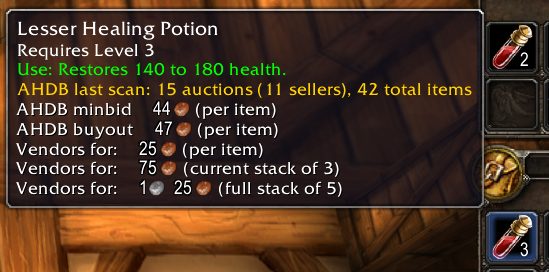
The game's own Sell Price line only covers the stack under your mouse. Better Vendor Price adds what that line leaves out: the price of one item, how many stack together and what a full stack sells for. It works wherever item tooltips appear, including bags, vendors, item links in chat and the auction house.
When your bags are full it first merges partial stacks to free slots without losing anything, then highlights the cheapest item to get rid of and names it in chat. The math looks ahead: a stack that is still filling up is weighed by what it will be worth once full.
It only checks the main bags where loot lands, skips items that cannot be sold such as the Hearthstone and quest items, and never destroys anything on its own. Cheap items you still need, like a fishing pole, can be kept off the list.
Key features
- Tooltip lines for price per item, stack size and full stack vendor price.
- Automatic restacking of partial stacks when bags are full.
- The cheapest item to discard is highlighted in your bags and announced in chat.
- Stacks still filling up are valued at their full stack worth.
- A keep list for items that should never be suggested.
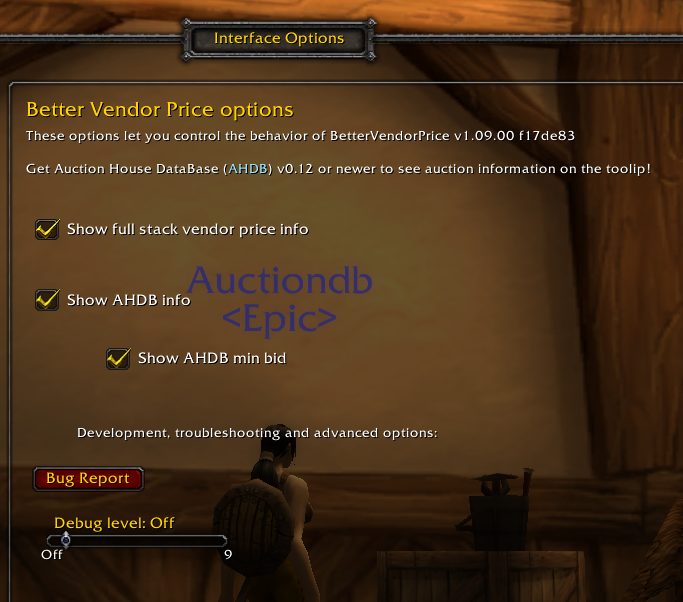
- Options for a single line tooltip, Shift-only display, highlighting and auto restacking.
Installation
- Download the zip and extract it.
- Move the
BetterVendorPricefolder inside it intoWorld of Warcraft\_forever_\Interface\AddOns\. - Close the game completely and reopen it (
/reloadalone does not load new files). - On the character select screen, check that the addon is ticked in the AddOns list.
Commands
/bvp- Lists all commands.
/bvp cheapest- Restacks and shows the cheapest slot.
/bvp restack- Merges partial stacks to free bag slots.
/bvp keep- Stops suggesting the current cheapest item; add an item name to apply it to that item, run it again to undo.
/bvp keep list- Shows the items on the keep list.
/bvp config- Opens the options page.
Notes
- For auction house prices in the same tooltips you can also install AHDB (Auction House DataBase). The two addons do not repeat each other's lines.
FAQ
Does Better Vendor Price delete items for me?
No. It only points out the cheapest item to discard; you throw it away yourself.
How do I stop it from suggesting an item I need?
Type /bvp keep while that item is the suggestion and it moves on to the next one. /bvp keep list shows everything you have kept.
Author and license
Better Vendor Price is written by MooreaTV. License: LGPLv3.