
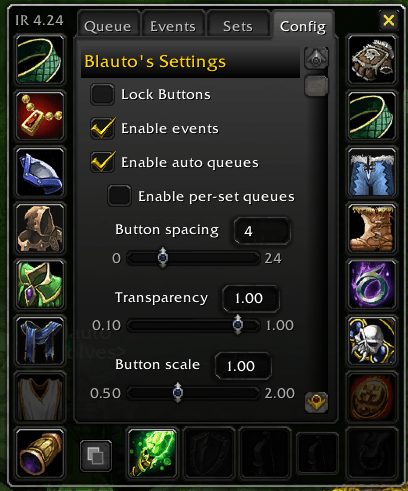
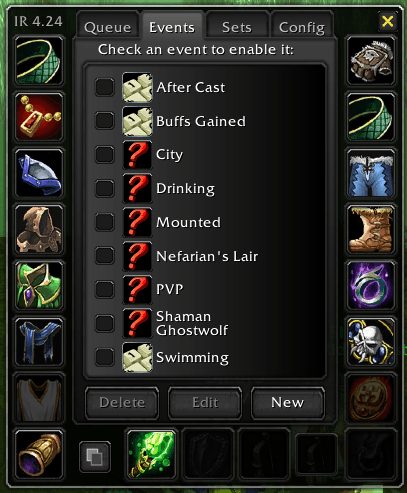
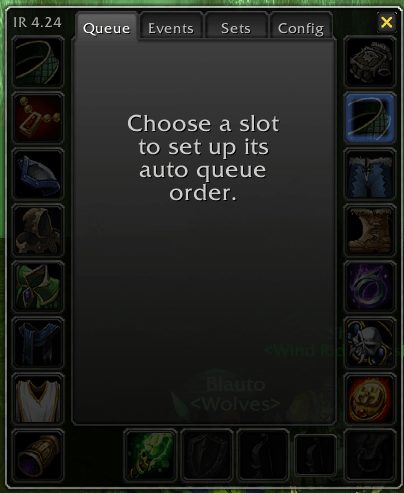
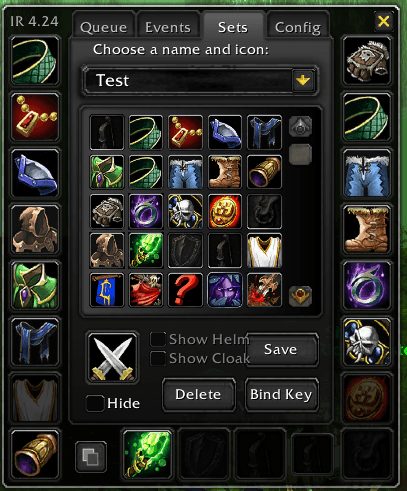
What it does
ItemRack Universal saves what you wear as sets. A set can cover every slot or only the slots you pick. You equip it from the minimap menu, the set button, a key binding, a macro or an event you tie it to.
Alt-click a slot on the character sheet and you get a movable button for that slot. Hovering it opens a flyout with the items that fit there. Both trinket slots can be combined into one menu.
AutoQueue rotates cooldown items per slot in the priority order you set. Swaps that cannot happen in combat are queued and applied when combat ends. The same download runs on Classic Era, TBC Anniversary and WoW Forever.
Key features
- Full or partial gear sets, equipped by menu, button, key, macro or event.
- Movable buttons made from character slots, with flyouts of fitting items.
- AutoQueue to rotate cooldown items by priority.
- Manual swaps are protected until used; right-click locks a slot for good.
- Swaps blocked by combat, casting or loading screens are queued.
- Picks the exact saved copy when items share an ID but differ in enchant or suffix.
Installation
- Download the zip and extract it.
- Move all the folders inside it (
ItemRack,ItemRackOptions) intoWorld of Warcraft\_forever_\Interface\AddOns\. - Close the game completely and reopen it (
/reloadalone does not load new files). - On the character select screen, check that the addon is ticked in the AddOns list.
Commands
/itemrack opt- Opens the Options window.
/itemrack equip- Equips the named set; type the set name after the command.
/itemrack toggle- Toggles the named set on or off; type the set name after the command.
/itemrack hold- Puts a persistent hold on a slot; add the slot number (0-19) and optionally an item ID.
Notes
- The package has two folders,
ItemRackandItemRackOptions, and both need to stay together in AddOns. - Script events added or changed by another addon stay disabled until you accept a warning prompt.
FAQ
How do I swap trinkets from one menu?
Turn on TrinketMenu mode. In that mode a left-click in the menu equips to the upper trinket slot and a right-click to the lower one.
How do I stop AutoQueue from touching a slot?
Right-click the item in the flyout menu. That puts a persistent hold on the slot, so AutoQueue leaves it alone.
Author and license
ItemRack Universal is written by Bl4ut0. License: Public domain.