
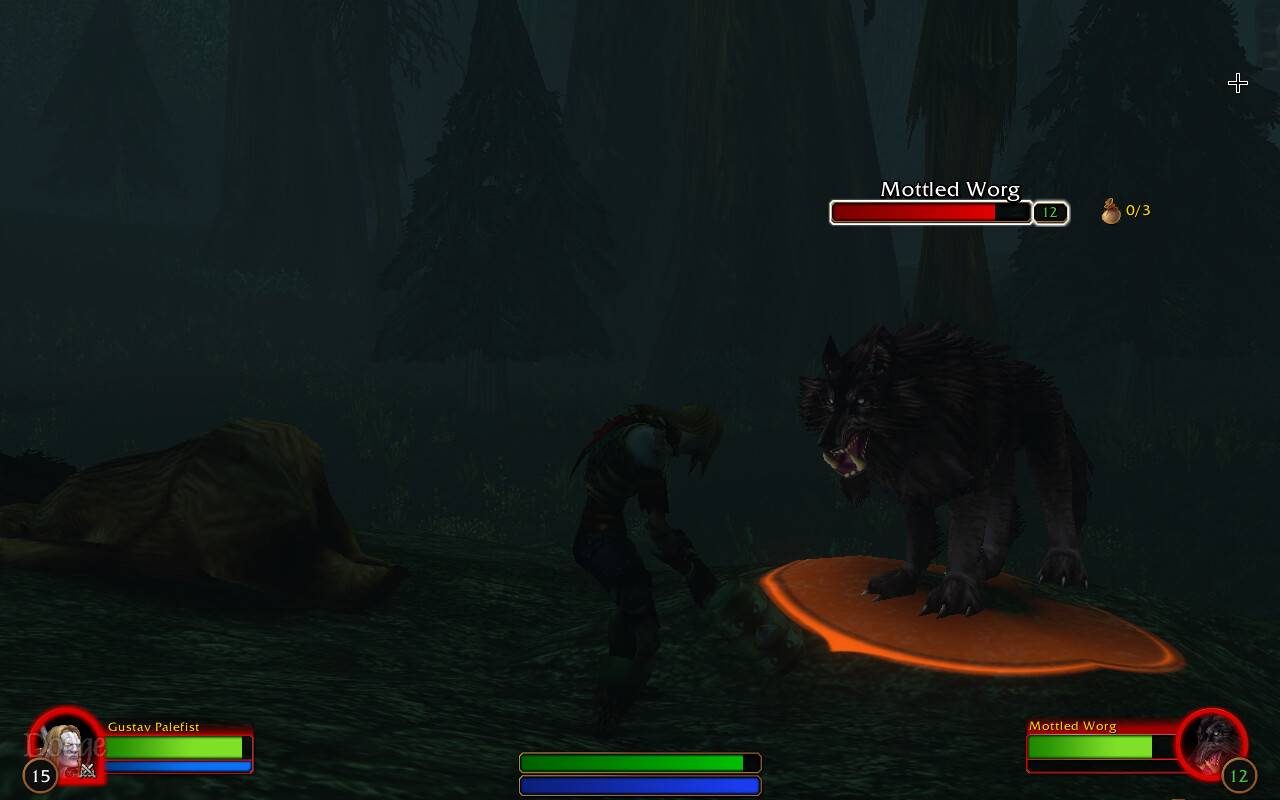
What it does
No more guessing which wolves count. Forever Quest Mark adds an icon to the nameplate of each mob your quests still need: a crosshair for kill objectives and a hand for loot objectives, with your progress next to it, such as 4/10.
The count is taken straight from your quest log and the mark disappears as soon as the objective is done. In a group it follows your own progress, not your friends'.
Key features
- Separate icons for kill and loot objectives.
- A progress count next to the icon, read from your quest log.
- Marks update the moment a kill or pickup counts.
- In a group it shows only your own progress.
- Icon size, position, icon choice and whether the count shows are all adjustable.
- Off in dungeons and raids by default, with an option to turn it on.
Installation
- Download the zip and extract it.
- Move the
ForeverQuestMarkfolder inside it intoWorld of Warcraft\_forever_\Interface\AddOns\. - Close the game completely and reopen it (
/reloadalone does not load new files). - On the character select screen, check that the addon is ticked in the AddOns list.
Commands
/fqm- Opens the settings.
FAQ
Where else can I find the settings?
Under Options, AddOns, Forever Quest Mark, or through the minimap button.
Why are there no marks in dungeons?
The addon is off in dungeons and raids by default. You can enable it there in the settings.
Author and license
Forever Quest Mark is written by Uggezen. License: MIT.