
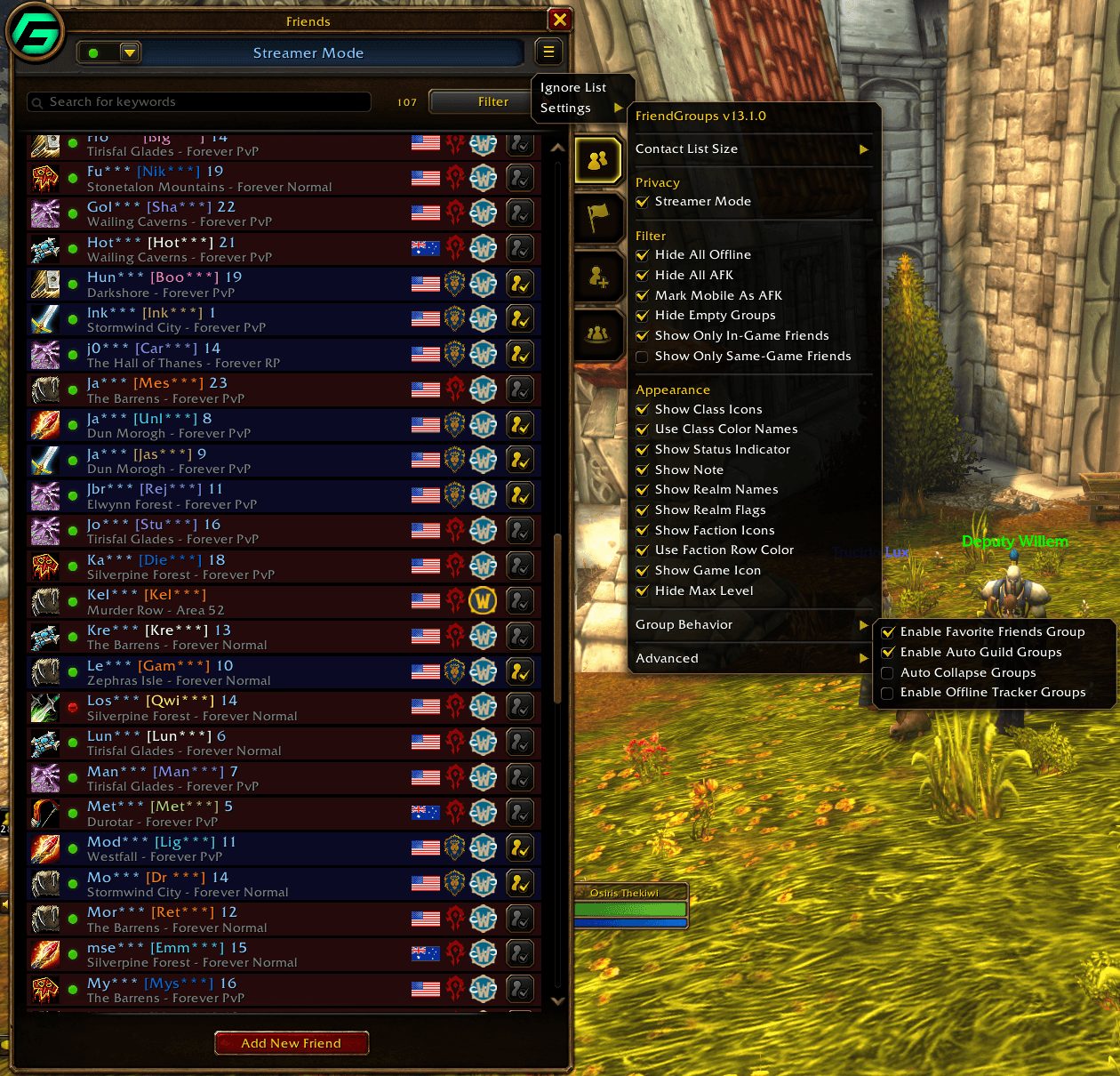
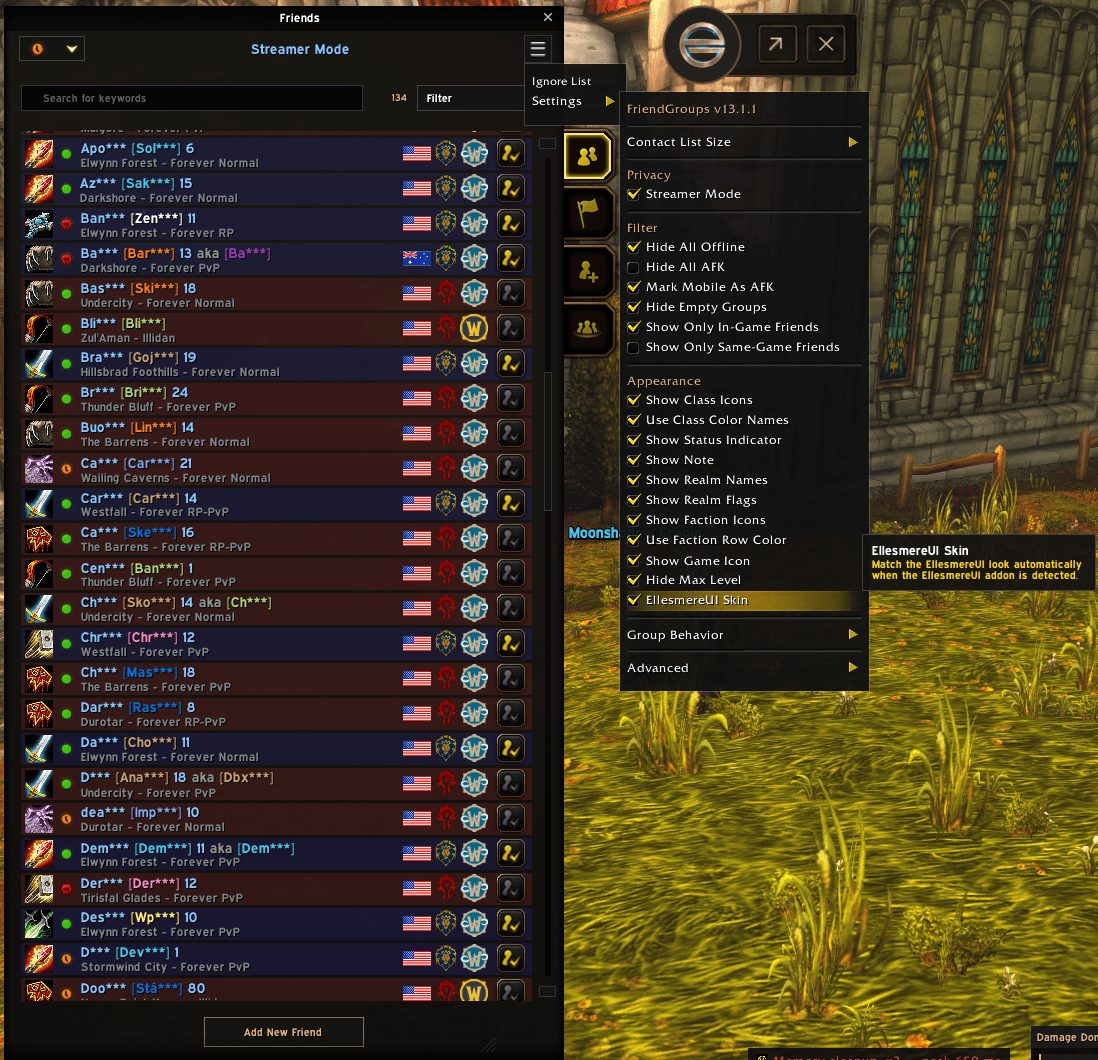
What it does
FriendGroups turns the Friends List into a contact manager. Tag a friend with #GroupName in their note or use the right-click menu, and a friend can sit in as many groups as you like. Drag group headers to reorder them and give each one its own colors. Friends who have been away for 30, 60 or 90 days or more gather at the bottom.
It records your Battle.net friends' characters as you see them online. Hover a friend and a side panel lists their recent alts with class, level, guild and when and where each was last seen. Friends in your guild collect in a guild folder automatically.
There is extra handling for WoW Forever. Forever characters are listed once by first and last name, friends show a ruleset such as Forever Normal, PvP or RP instead of hidden shard names, and each Forever friend gets a region flag.
Key features
- Custom groups set through tags in the friend note, with your own order and colors.
- Known alt tracking that shows a friend's other characters on hover.
- An automatic folder for guildmates, plus guild folders you add by hand.
- Search across names, nicknames, notes, groups, guilds, classes, zones and alts, offline friends included.
- Right-click a group header to invite the whole group, limited to friends on your game version.
- First and last names, ruleset and region flag for WoW Forever characters.
Installation
- Download the zip and extract it.
- Move the
FriendGroupsfolder inside it intoWorld of Warcraft\_forever_\Interface\AddOns\. - Close the game completely and reopen it (
/reloadalone does not load new files). - On the character select screen, check that the addon is ticked in the AddOns list.
Notes
- Groups, nicknames and guild tags are stored in the friend note itself. Battle.net friend notes live on your account, so your setup follows you to other PCs and game versions.
FAQ
How do I put a friend in a group?
Write #GroupName in their note or pick the group from the right-click menu. One friend can be in several groups.
How can I find friends who are playing WoW Forever?
Type forever, or a ruleset such as pvp, normal or rp, into the search bar.
Author and license
FriendGroups is written by osirisnz. License: Public domain.