
What it does
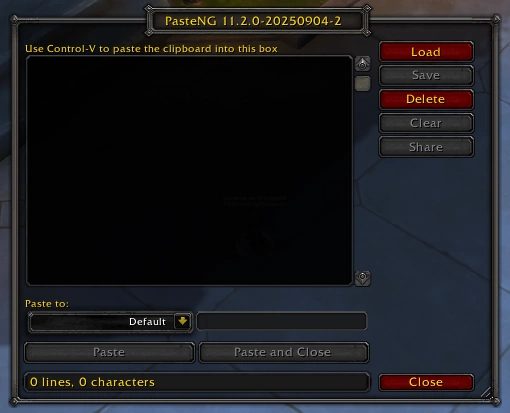
The chat box takes one line at a time and cuts off long text. Paste NG opens its own window instead: paste your clipboard into the text box, pick the channel from the dropdown and press the Paste button. Text longer than 250 characters is handled too.
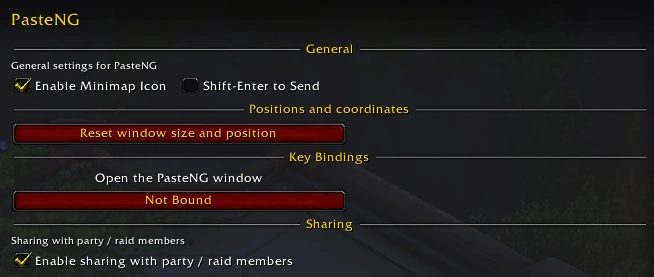
You can save a paste and load it again later. The window opens with a command or the minimap icon, and the options are reached through the usual addon settings or a command.
Key features
- Sends multi-line and long text to chat or as commands in one go.
- A dropdown to choose the target channel.
- Save a paste and load it again later.
- A window opened from the minimap icon or a command.
Installation
- Download the zip and extract it.
- Move the
PasteNGfolder inside it intoWorld of Warcraft\_forever_\Interface\AddOns\. - Close the game completely and reopen it (
/reloadalone does not load new files). - On the character select screen, check that the addon is ticked in the AddOns list.
Commands
/pasteng show- Opens the Paste NG window.
/paste show- Opens the window, only when the original Paste addon is not installed.
/pasteng config- Opens the options.
Notes
- If the old Paste addon or an older Paste NG is installed, you get a warning at login. Delete the old Paste folder from your AddOns folder and type
/reload.
FAQ
Why do I get a warning about the old Paste addon?
The old Paste addon or an older version of Paste NG is still installed. Remove the Paste folder from your AddOns folder and reload with /reload.
Author and license
Paste NG is written by GurliGebis. License: GPLv3.