

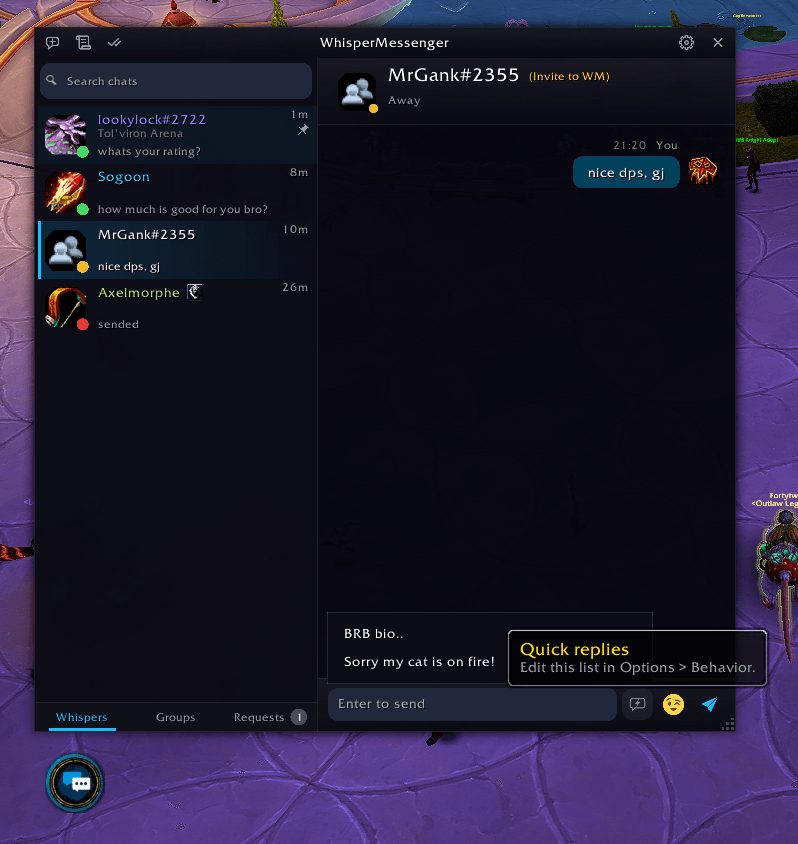
What it does
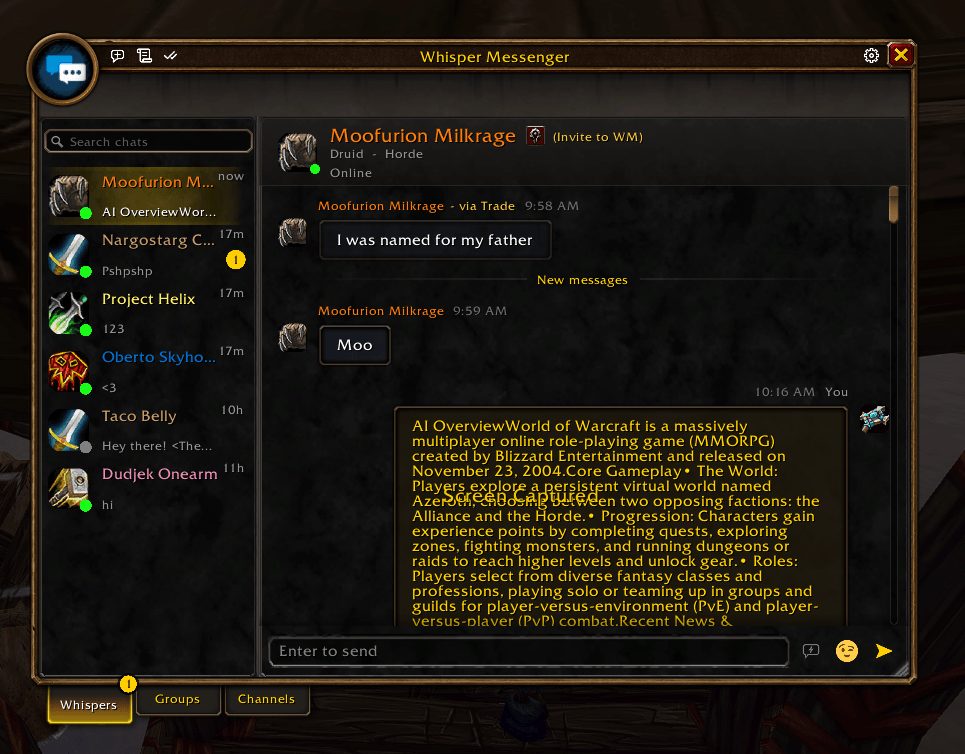
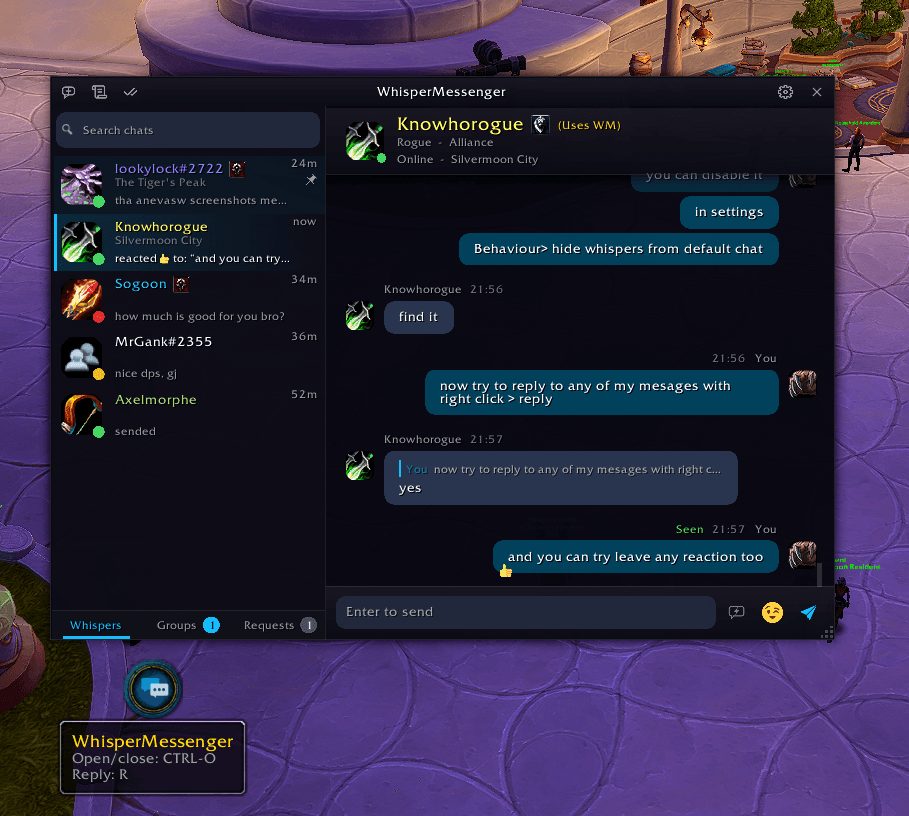
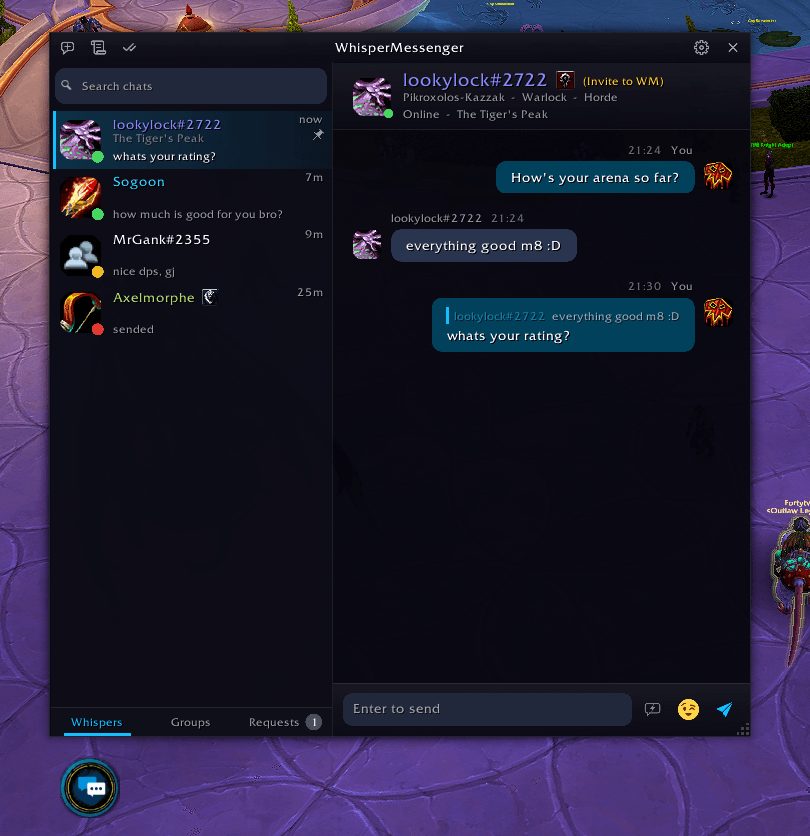
Whisper Messenger keeps whispers from getting lost under raid, trade and guild chat. Every person gets their own thread with an unread count next to their name, so you can see at a glance who is waiting on a reply.
History survives logout and is shared across your characters. The contact list shows whether a friend is online, their class and the zone they are in, and you can pin contacts and drag them into order.
World channels such as Trade and General can open in their own tab if you want. Ready-made filters target gold sellers and ads; they apply only to those channels and never touch guild, party, raid or whispers.
Key features
- A separate thread per person, with an unread badge and saved history.
- Whispers up to about 800 characters, sent in up to four parts.
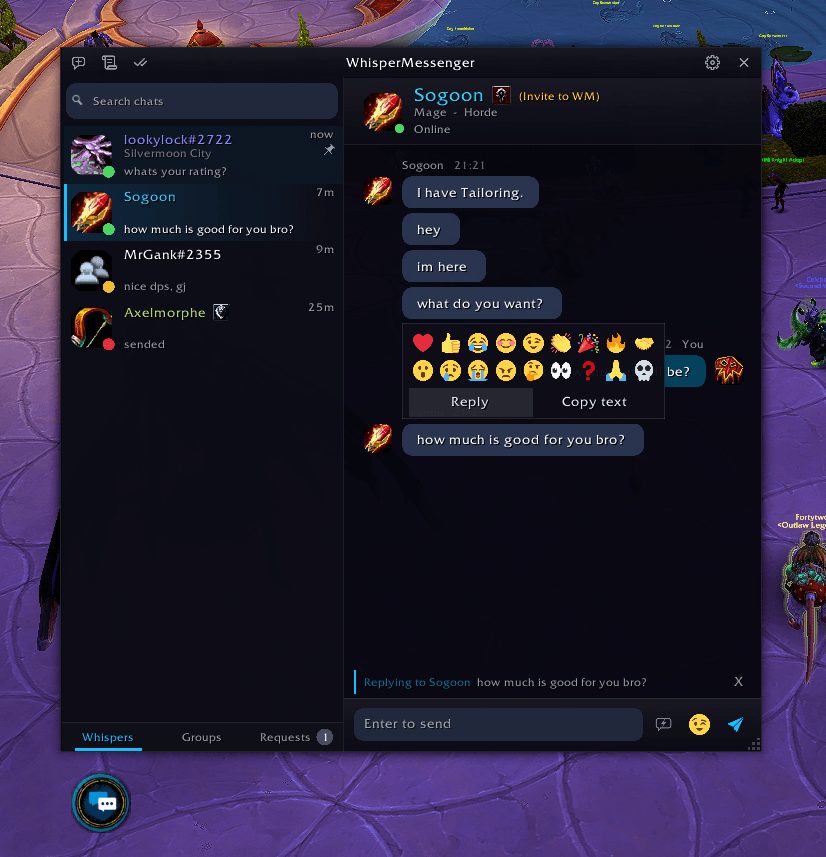
- Quick replies, quoted replies and a draft kept for each chat.
- Mute contacts, give them nicknames and private notes, and get told when they come online.
- Block players for a day, a week or forever, plus keyword filter rules.
- Five color themes or the game's own window style, and a scale from 75% to 150%.
Installation
- Download the zip and extract it.
- Move the
WhisperMessengerfolder inside it intoWorld of Warcraft\_forever_\Interface\AddOns\. - Close the game completely and reopen it (
/reloadalone does not load new files). - On the character select screen, check that the addon is ticked in the AddOns list.
Notes
- Long messages showing as one piece, typing indicators and seen receipts need the other person to run the addon too; everyone else gets plain text.
- Group chats keep the game's normal message length.
FAQ
Can't I just make a Whispers chat tab?
You can, but a tab mixes everyone into one stream, forgets everything on logout and has no per-person unread count or online status.
What happens to whispers from strangers?
Turn on Requests under Options, Behavior and those whispers wait in their own section until you accept or delete them.
Author and license
Whisper Messenger is written by F0rty_tw0. License: MIT.