
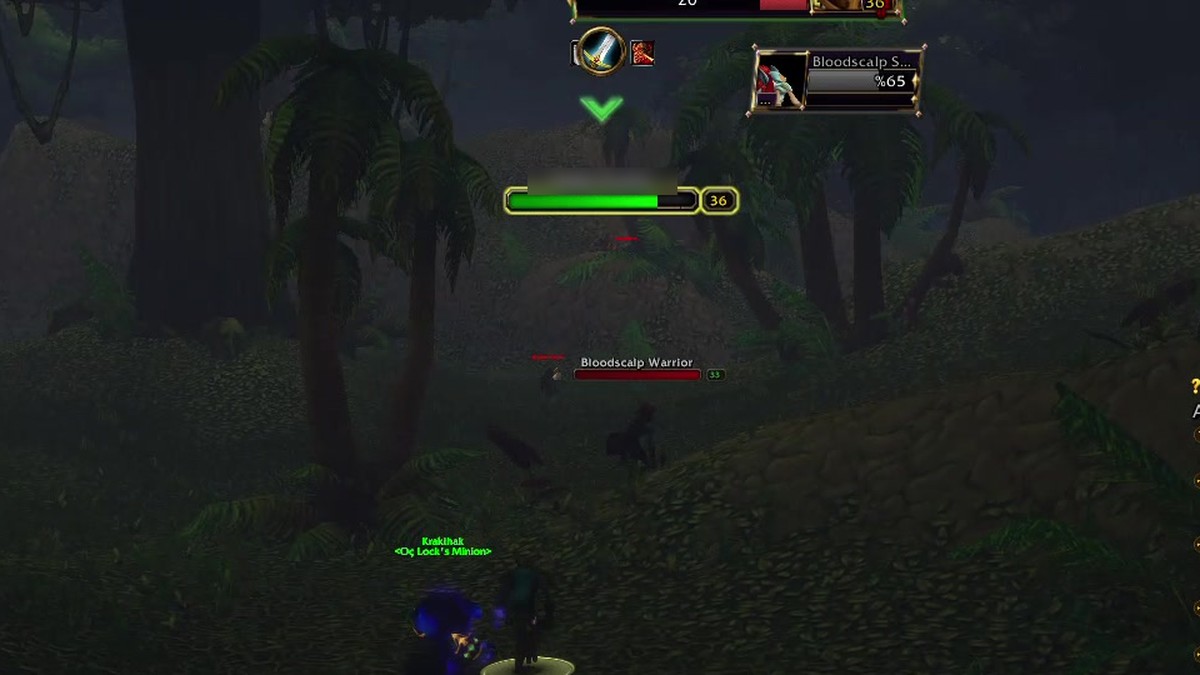
What it does
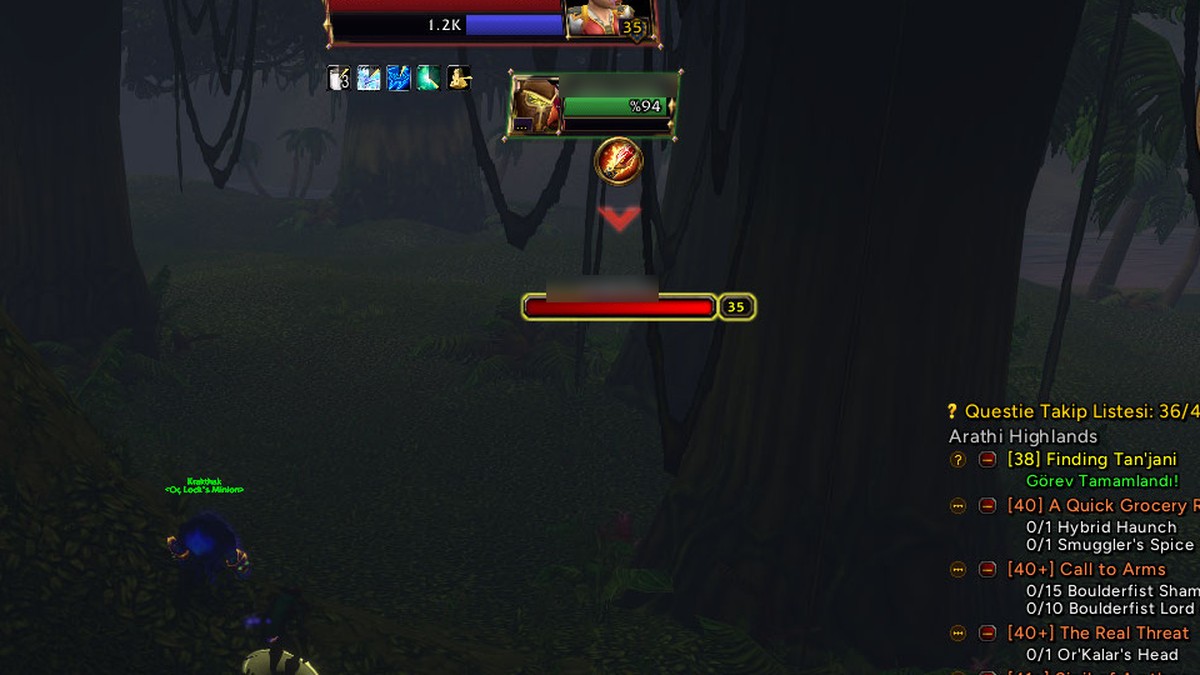
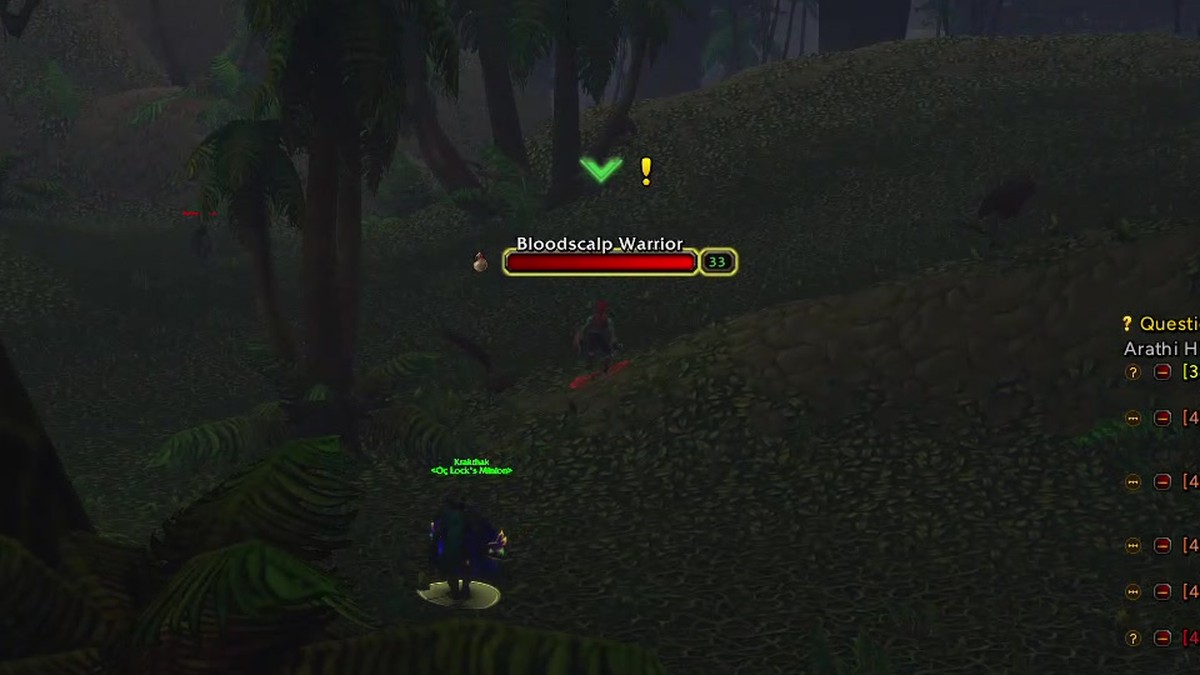
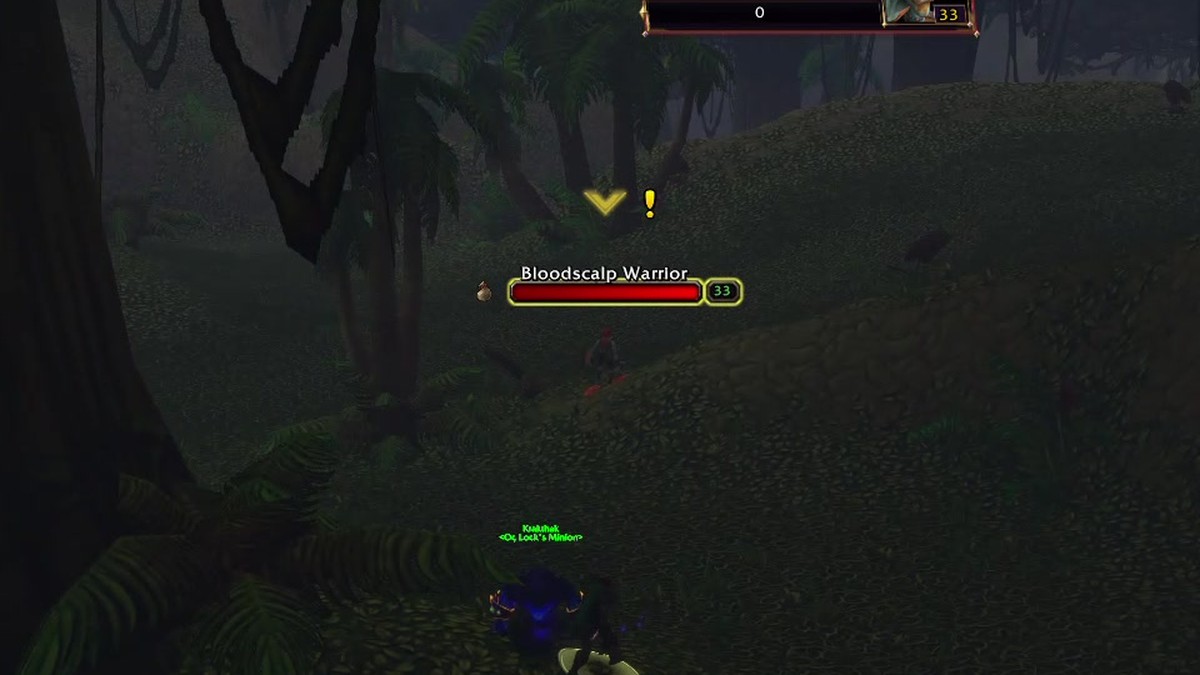
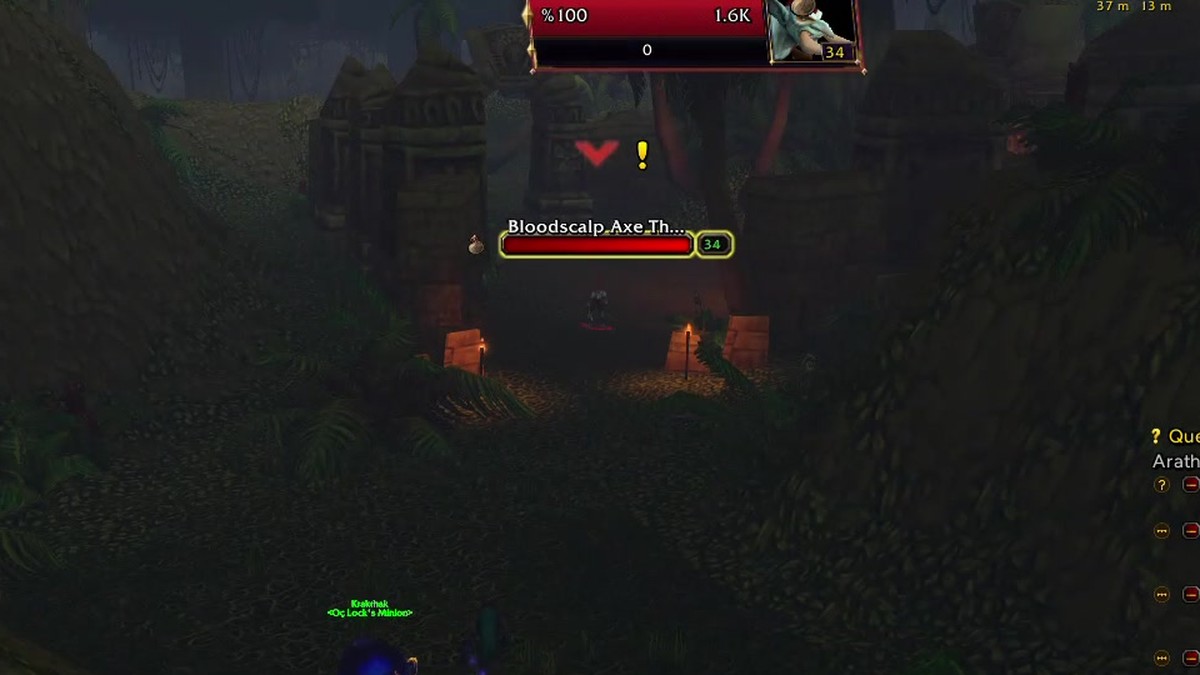
The arrow changes colour with the game's own range answer for your spells. Green when your shortest-range spell reaches the target, yellow when a longer-range spell does, red when none do. No guessing and no distance maths: the colour is what the game says.
When the target is part of a quest you have accepted, a yellow exclamation mark shows beside the arrow. In a crowded camp you can see which mob counts for your quest without clicking around.
When the target is a player, its class icon sits right above the arrow in a round gold ring. Show it on all players, on enemies only, or turn it off.
How this addon was made: building WoW addons with Claude Code
Key features
- Green, yellow and red arrow by spell range, straight from the game's own range check.
- Yellow exclamation mark beside the arrow on quest mobs (quests you have accepted).
- Class icon in a gold ring on player targets: all players, enemies only, or off.
- Arrow and icon size from 50% to 300%.
- Optional: a coloured dot next to the health bar and a range line under your character.
- One settings window (
/ezt); every setting applies right away, in combat too. - Works with every class. Free.
Installation
- Download the zip and extract it.
- Move the
EZ Targetfolder inside it intoWorld of Warcraft\_forever_\Interface\AddOns\. - Close the game completely and reopen it (
/reloadalone does not load new files). - On the character select screen, check that the addon is ticked in the AddOns list.
Commands
/ezt- Open or close the settings window.
/ezt size 1.5- Arrow and icon size (0.5 to 3).
/ezt class enemy- Show the class icon on enemies only (
allfor all players,offto hide it). /ezt quest- Turn the quest mark on or off.
/ezt bands- List your range groups: distance and a spell for each.
/ezt reset- Back to the default settings.
Notes
- Beta 0.5.1: if you find a bug, tell us.
- The arrow hangs on the target's nameplate. With nameplates off, or the target off screen, there is no arrow; some instances may hide nameplates.
- The quest mark only covers quests you have accepted.
- Addons cannot draw on the ground, so there is no range circle under your feet.
- Free to use. Sharing it unchanged is fine; publishing a modified version needs Dev/Soy's permission (LICENSE.txt in the zip).
FAQ
Why is the arrow yellow sometimes?
Yellow means your shortest-range spell does not reach, but a longer-range spell does. /ezt bands shows which spells sit in which group.
Can I see the class icon on enemies only?
Yes. Click the "Class icon" button in the settings window or type /ezt class enemy.
The arrow is too small. Can I make it bigger?
Use the slider in the /ezt window or a command like /ezt size 2. The arrow, the quest mark and the class icon grow together.
Author and license
EZ Target is Dev/Soy's own addon. License: Free to use.
Comments and questions
Loading comments…
Checking your session…


